iOS, iPadOS & watchOS · September 2026 · design + build + launch
Feel better
before you land.
A stretching app designed for a middle seat, not a studio floor.
Product strategy, UX/UI, native SwiftUI development, the launch website and the App Store release, all by SUUR. Publicly available since 21 September 2026.
Every stretching app assumes a floor. InFlight assumes a seat belt, a tray table and a stranger's elbow. Small movements, in the space you actually have.
17
Coach position references
19
Spoken cues, bundled offline
57
App Store storefronts at launch
136
Unit tests in the release build
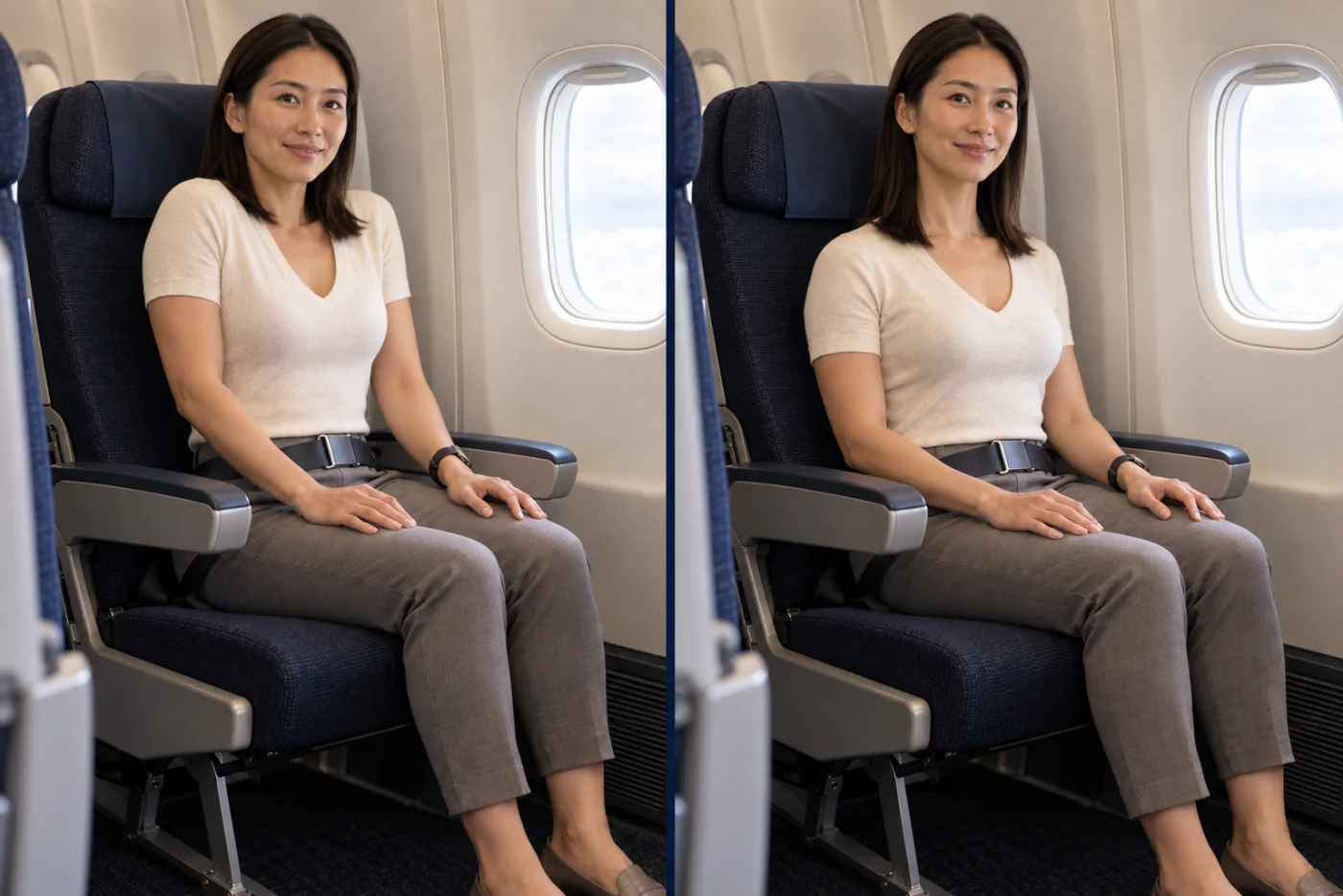
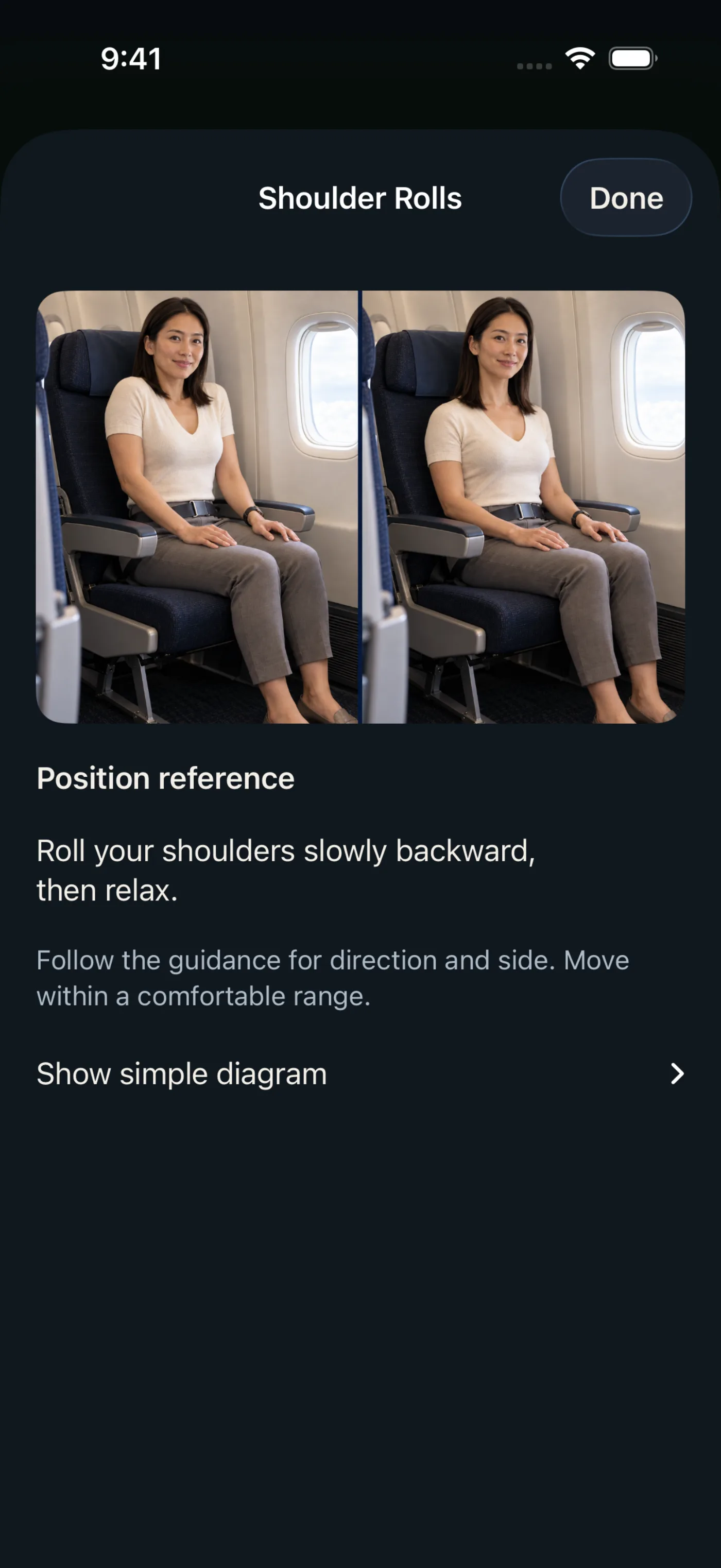
Seated shoulder rolls, position reference as shipped in the app
The idea
One coach. One seat. Seventeen positions.
The whole app is built around a single fictional coach who stays exactly consistent across every movement: same cream knit top, same charcoal trousers, same window seat. Because the setting never changes, the passenger reads only the thing that does, the movement itself.
She has no name, no credentials and no testimonial, on purpose. The app makes no medical claims and no promises about circulation or risk. It is general movement guidance, and it says move gently, stop if it is uncomfortable, and follow the crew.
The experience
Quiet on the surface, exact underneath.
01
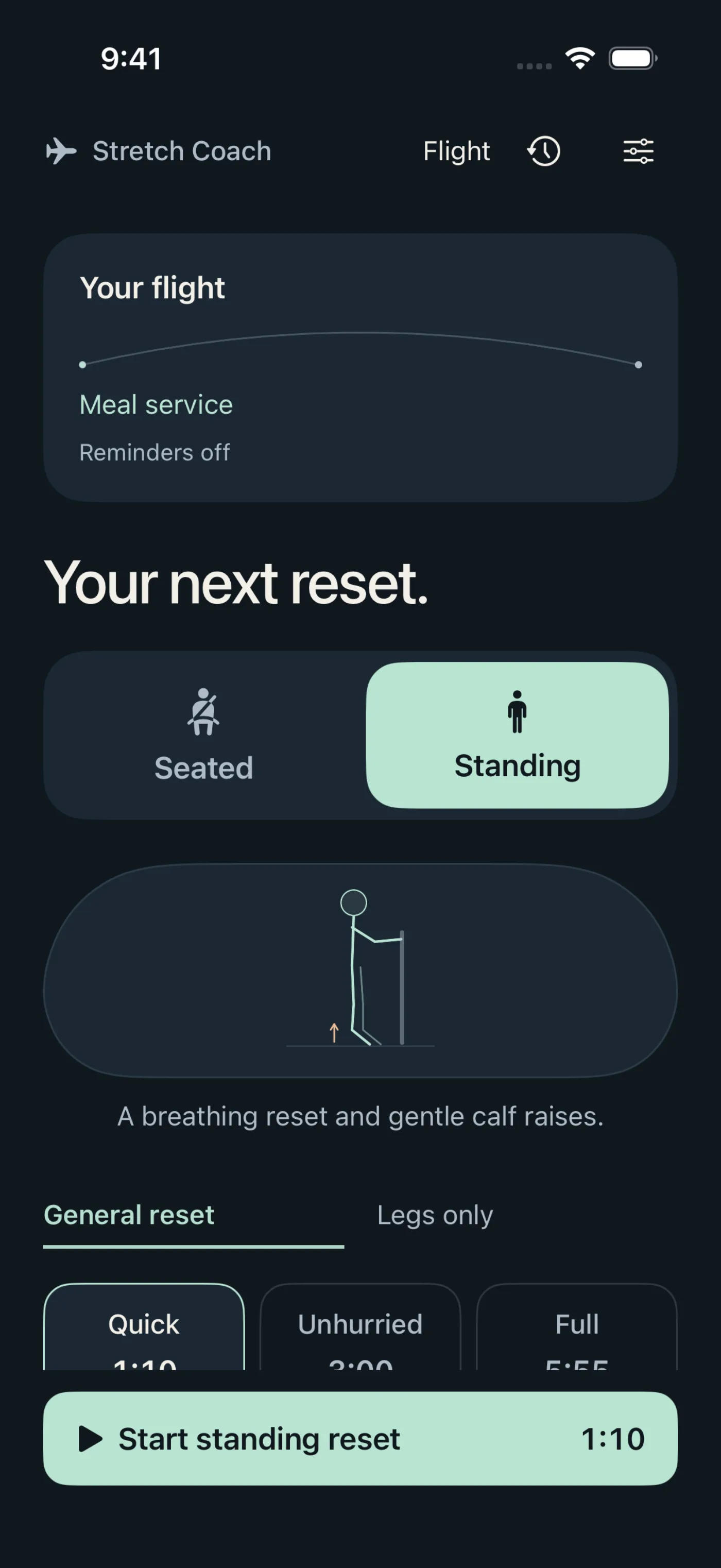
You choose the posture, not the app
Seated or Standing is the passenger's call. Standing is never locked behind a flight phase or a meal pause; the app shows one line, stand only when permitted and follow crew instructions, and gets out of the way. Then a quick, unhurried or full sequence, with a legs-only focus for when that is what the body is asking for.
02
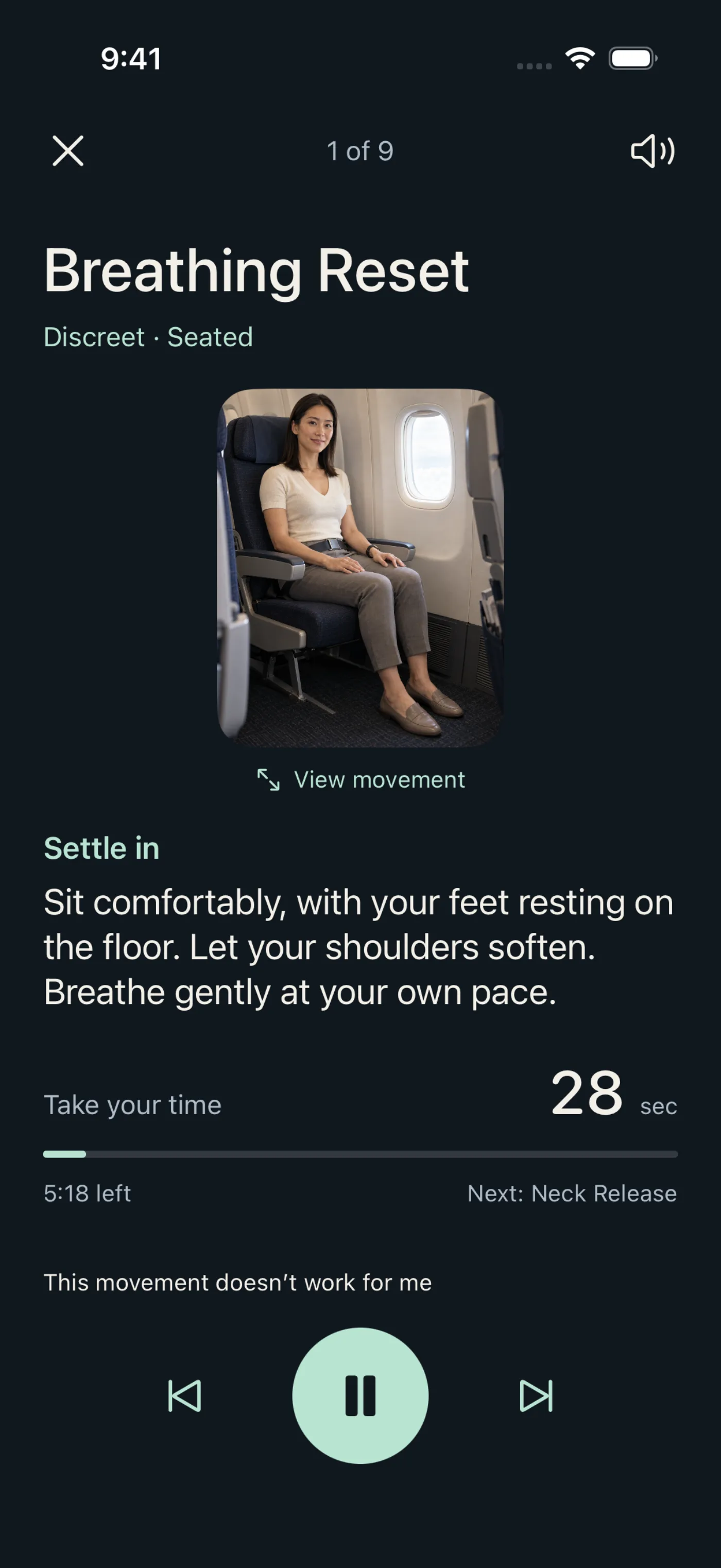
See it. Read it. Or listen.
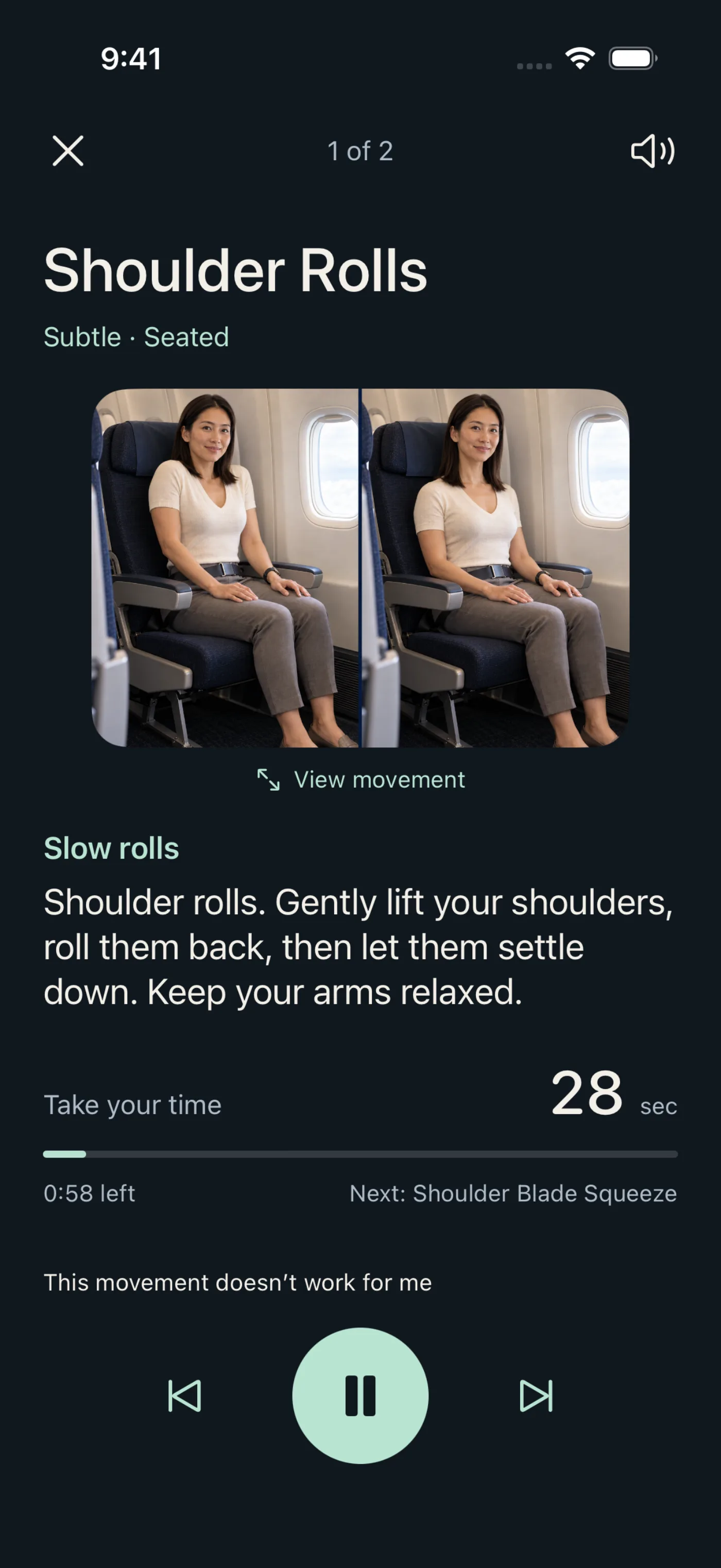
Every movement is a pair of photographs of the same coach in the same economy seat, the start and the end of the motion, with a written cue and a spoken one. No video to buffer, no motion tracking, no pretending the camera can see your ankles under a tray table. A simple diagram sits one tap away for anyone who prefers lines to people.
03
Ready when the Wi-Fi is not
The seventeen photographs and nineteen narration tracks ship inside the app, so a routine works at 38,000 feet in airplane mode. Opening the app offline for the very first time starts a complimentary flight rather than a locked screen. Only buying, restoring and refreshing prices need a connection, and the app says so.
04
A player that takes no for an answer
Pause, skip, back, end. A timer that counts real active time. And one button under every movement: this movement doesn't work for me. Tap it and the movement is excluded from future routines, alongside body-area exclusions and a small-space preference set once. Unfinished sessions survive an interruption and resume at the movement you were on.
Around the flight
Reminders that know about meal service.
Set up the flight and choose the nudges. Pause them for a meal or a sleep, pick up when you are ready. The app never claims to detect turbulence, seat-belt signs or the cart in the aisle; the passenger tells it, which is the only version that is honest.
An Apple Watch companion carries the movement cues to the wrist. Local history stays on the device, with optional private iCloud sync. No account, no advertising, no cross-app tracking, and purchases run through Apple under an anonymous identity.
The launch site
Four pages that only say what is true.
inflight.suur.io is a static site: home, support, privacy, terms. Self-hosted type, the app's own palette, one restrained entrance animation, and a posture switch that previews real movements rather than pretending to run a workout.
The App Store badge went live only after Apple's own lookup confirmed the release. Pricing is shown as configured, with a note that it is US pricing. No waitlist, no invented ratings, no “award-winning.” Sixteen page-and-viewport checks passed before publication. The site has its own case study: InFlight launch website.
Visit inflight.suur.io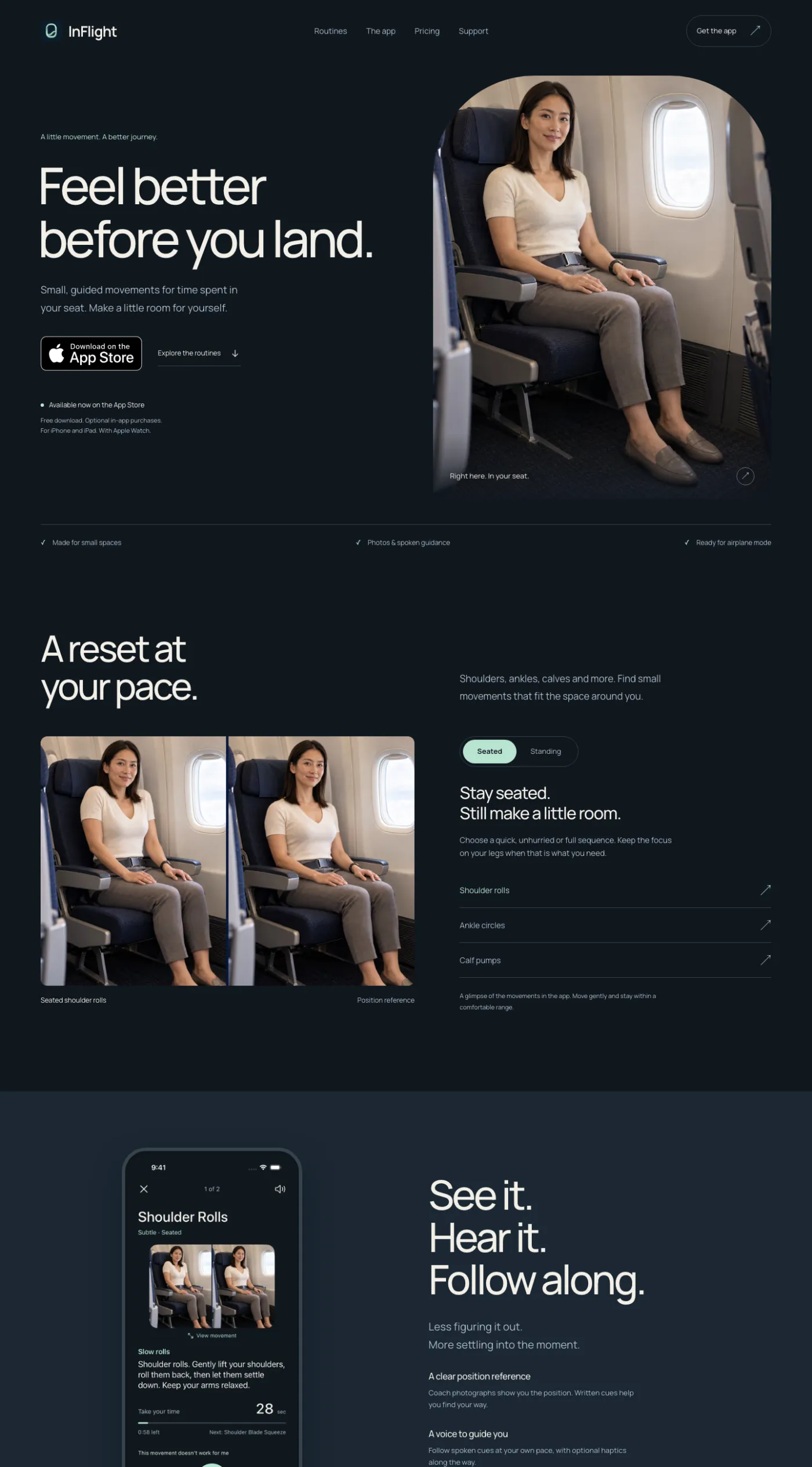
Built with intention
Native SwiftUI. Free to start, honest about what is not.
Quick seated and Quiet Legs are free. Complete coaching is $4.99 a week, $9.99 a month, $24.99 a year, or $99.99 once for permanent access, as configured on the US storefront at launch. The paywall is the same screen whether you skip onboarding or reach it later; there is no trick version.
The result
Idea to App Store, with the website, in-house.
Product definition, the coach and every position reference, the routine engine, the paywall, the Watch companion, the launch site and the release itself. Publicly available in 57 storefronts from 21 September 2026, verified against Apple's lookup rather than assumed from a submission. The same shape we sell as the iOS App product, at a fixed price.
“Stand only when permitted. Follow crew instructions and keep aisles clear.” The one line of copy in the app that could not be designed away, so it was designed in.
Have an app that should feel this considered?
SUUR designs and ships native mobile products end to end: strategy, UX/UI, the code, and the launch.