Hotel Website Template: A Practical Next.js Setup Guide
Aurelia is a free Next.js hotel website template with eight page layouts. It gives you a starting design and source code; you still need real property content, licensed photography, a booking connection and a working enquiry form before launch.
This guide follows the versioned October 19 export. It shows where to make changes and how to check the result. It is for a developer building for a hotel, or an owner reviewing that developer's scope. A successful build proves that the code compiles. It does not prove that a guest can book or that an enquiry reaches your team.
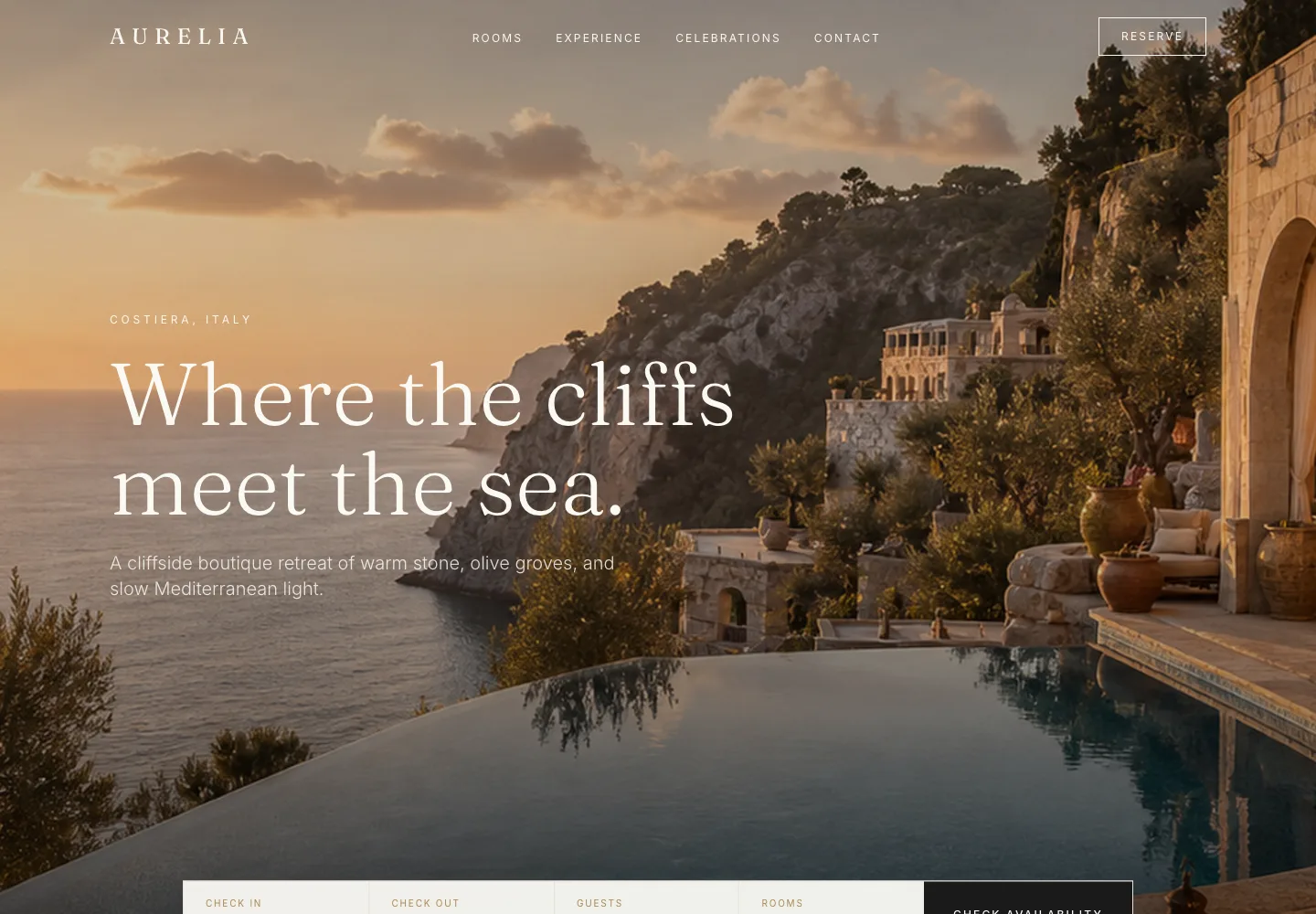
The fictional Aurelia demo, rendered locally from the October 19 ZIP. This is a template preview, not a real hotel or a client result.
Start with the right artifact
Open the Aurelia template page to preview the design, then download the October 19 ZIP. The export includes home, rooms, amenities, gallery, offers, events, weddings and contact pages, plus a README, lockfile, MIT code license and asset inventory.
Keep a copy of the ZIP you started from. The website demo and a later repository revision can differ from a fixed export, so record the release date in the project handoff.
You will need Node.js, npm, a terminal and someone comfortable editing React and TypeScript. The current Next.js installation guide specifies Node.js 20.9 as its minimum. Check your deployment host's supported runtime too. The starter uses next/font/google, so its build needs access to the configured Google Fonts unless you replace that setup with locally supplied fonts.
Install and preview the hotel template
Unzip the download and open the extracted aurelia folder. From that folder, run:
npm ci
npm run dev
Open the local address printed in the terminal, normally http://localhost:3000. Confirm that all eight pages render before changing the design. This gives you a baseline for spotting a problem introduced by a later edit.
Use npm ci for the untouched export because it includes a lockfile. As the npm documentation explains, that command installs from the lockfile and fails when it disagrees with package.json, rather than rewriting the lockfile to reconcile them. Treat such a failure as something to investigate, not a reason to delete the lockfile blindly.
After your edits, stop the development server and run:
npm run build
npm run typecheck
npm run start
The last command runs the built app locally. Repeat the page checks there. A development preview and a production build are different checks; keep the build output with the handoff.
For this guide, we extracted that ZIP into a clean directory on November 15, 2026. Installation, production build and type checking passed on macOS with Node.js 25.3.0 and npm 11.6.2. The lockfile installed Next.js 16.4.2 and React 19.2.4, and the build generated the eight page routes. That is a check of this artifact in that environment, not a claim that it is the latest dependency set or a completed hotel booking system.
Know which files you are changing
The export keeps page content in the page components. It does not provide a hotel content-management dashboard. If hotel staff need to edit offers or room copy without touching code, include that editing workflow in your scope.
| What to change | Where to start in the export | What to check afterwards |
|---|---|---|
| Fonts and default metadata | src/app/layout.tsx | Real property title, description and intended page language |
| Home content | src/app/page.tsx | A guest can identify the property and find the next step |
| Room categories | src/app/rooms/page.tsx | Names, occupancy, beds and images agree with bookable inventory |
| Offers and terms | src/app/offers/page.tsx | Actual inclusions, validity dates and conditions |
| Navigation and footer | src/components/hotel-template/AureliaNav.tsx and AureliaFooter.tsx | Every link and booking entry point works from every page |
| Booking controls | src/components/hotel-template/BookingBar.tsx | The provider receives supported selections correctly |
| Contact information and enquiry interface | src/app/contact/page.tsx | Real contact details, accessible fields and verified delivery |
| Property imagery | public/images/ | Rights, correct room association and mobile crops |
The palette also appears as color values in component classes. Changing a single color in the root layout will not rebrand every page. Check the shared components and the individual pages together, including focus and hover states.
Replace the property, not just the logo
Begin with a content inventory: property name, location, room types, occupancy limits, amenities, contact details and approved offers. The export's hotel is fictional. Its address, email addresses, rates, travel times and property descriptions are not facts you can carry into a real launch.
Replace the illustrative imagery with media you have rights to use. ASSETS.md says the demo images are not photographs of a real hotel and that their source/licensing evidence is not bundled. The MIT license covers application source; it is not a blanket media license. Retain the relevant notices for fonts and any other assets you redistribute.
For rooms, match the website to the booking engine's inventory. A suite called one thing on the website and another in booking needs a deliberate mapping. Our hotel room-page guide explains what guests need to compare before choosing.
Test long room names, enlarged text and the languages you intend to support. A page that looks balanced with short demo copy can behave differently with the property's real information.
Give every booking control a real destination
The booking bar is an interface shell. In this export, its Check Availability button has no submission handler. Choosing dates and guests changes the visible controls but does not search live inventory or create a reservation.
There is another detail to address: the shared navigation's Reserve button emits an event handled by the homepage. Inner pages do not have that listener. Give those pages a reliable booking action as part of the integration; do not assume the shared button already works everywhere.
Choose the integration with the hotel's booking provider:
- Hosted booking page: use the provider's approved property URL. Pass dates, occupancy or room selections only in the format the provider documents. If the URL cannot carry a selection, make the next step clear to the guest.
- Embedded flow: confirm the provider supports the intended embed, then test it inside the actual page on mobile and desktop. Include loading, error and unavailable states.
- API-backed flow: agree access, authentication, availability, pricing and confirmation responsibilities before building. This is separate integration work, not a feature supplied by the template.
Do not invent parameter names or copy an integration from a different provider. Record the property identifier, supported fields, date format, language, currency and return behavior with your chosen provider's documentation.
Keep secret credentials out of browser code. Next.js documents that variables prefixed with NEXT_PUBLIC_ are bundled for the browser. That prefix is unsuitable for a secret API key. Some hosted booking links need no secret at all; an API integration may need a server-side component.
Wire enquiries as a separate workflow
The contact page's Send enquiry button also has no handler in the export. The inputs are a visual starting point, not a working delivery system. The demo email addresses and map band need replacing too.
Choose the receiving system with the hotel, then implement field labels, validation, spam protection and clear success or error feedback. Decide who receives reservation, group and wedding enquiries, and who follows up when the usual person is unavailable.
Send an agreed, clearly labelled test and confirm receipt in the actual inbox or customer system. Check what happens when delivery fails. A thank-you message alone cannot establish that the hotel's team received the request.
Test the handoff before changing the domain
A launch check should follow a guest task, not stop at a green build. Start once from the homepage and once from a room page, then verify:
- The booking control opens the correct property.
- Supported dates, guest counts and room choices survive the handoff.
- Changed dates and no-availability results offer a useful next step.
- Rate conditions, currency and included extras are understandable.
- A guest can return to the hotel site without a dead end.
- Enquiries reach the intended team, with usable error feedback.
Payment, confirmation and cancellation need an authorized test arrangement with the hotel and provider. If you have not tested them, mark them unverified. Do not make a real reservation just to finish a checklist.
Set the production domain, page metadata, social previews, sitemap and robots behavior for the real site. If replacing an existing website, map its old URLs and verify redirects before switching traffic. Check keyboard navigation, labels, visible focus and image alternatives as well as visual layout.
Use the hotel website audit guide and worksheet to keep findings, owners and retests in one place. The grader linked there inspects source evidence; it does not certify this integration or complete bookings.
Decide what to build around the template
A hotel website template saves you from starting with a blank layout. The remaining decisions still belong to the property: what to show, what to leave out, how guests book and how staff keep content current.
Use the hotel web design brief to agree that scope. Through SUUR's hotel website design service, I can help turn it into a branded website, connect the agreed booking path and build the enquiry workflow. The deliverable should be a site your team can operate, with the untested parts named before launch.
Have a product idea?
Designed, built, and shipped in about 5 days.