Framer Alternatives
Framer Alternatives: CMS, Collaboration and the Export Test
Compare Framer alternatives using dated pricing screenshots, current CMS and export documentation, and a practical test of what your team needs to move.
| Vendor | Pricing | Turnaround | Best for |
|---|---|---|---|
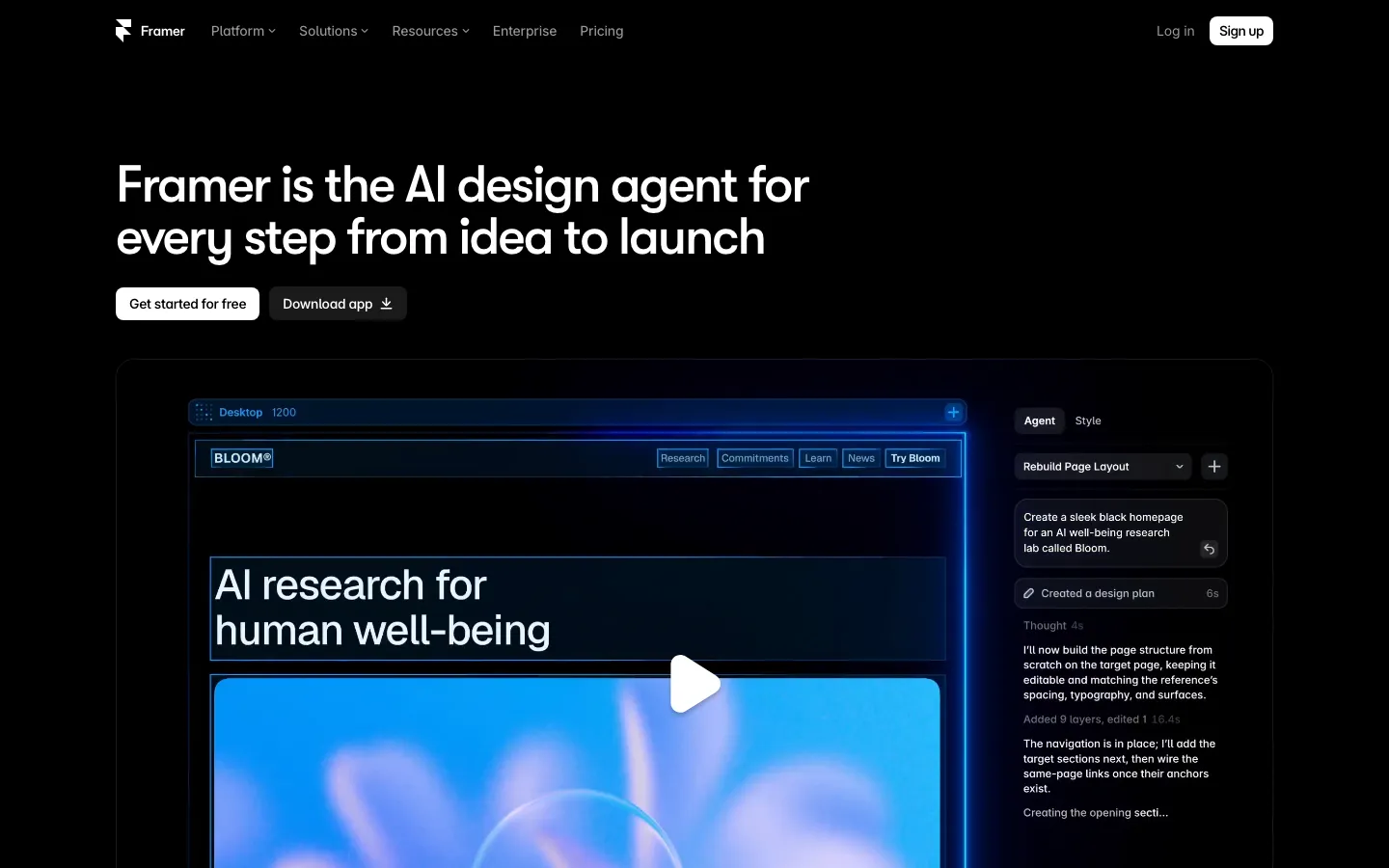
| Framer | September 12 snapshot: free, $10 or $30/month; editor and usage extras | Depends on content and scope | Baseline: test the actual CMS and publishing requirement |
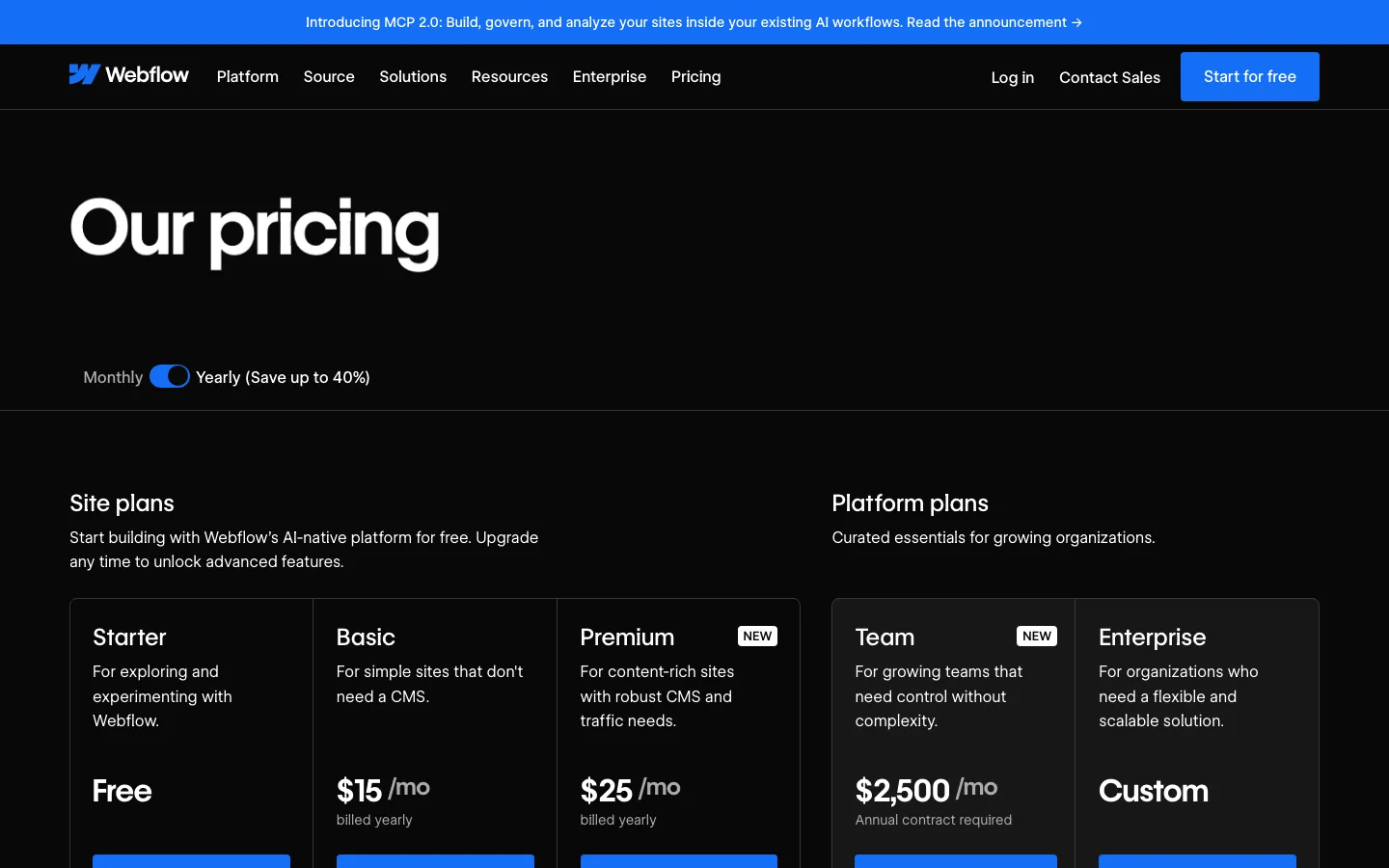
| Webflow | September snapshot: Basic $15, Premium $25/month billed yearly | Scope a representative page first | A visual CMS workflow worth testing against the existing model |
| Squarespace | September snapshot: $19 / $29 / $49 / $99 monthly equivalent, annual billing | Content and configuration dependent | Template-led business sites with an owner editing the content |
| Wix | September snapshot: free, then $17 / $29 / $39 / $159 monthly equivalent | Content and configuration dependent | Evaluating built-in business tools alongside the website |
| WordPress.com | September snapshot: $4 / $8 / $25 / $45 introductory monthly equivalent | Depends on theme and migration | A WordPress editorial workflow with managed hosting |
| Hostinger Website Builder | September snapshot: $2.99–$7.99/month on a 48-month term; renewal higher | Depends on content and configuration | A simple site whose upfront and renewal costs fit |
| Carrd | September snapshot: free; Pro $9 / $19 / $49 per year | One-page scope | A launch page or profile without a multi-page CMS |
| A maintained Next.js or Astro site | Build + commercial hosting + usage + editing + maintenance | Scope and migration dependent | Teams prepared to maintain a repository and its integrations |
| SUURThat’s us | Migration from $6,000; optional care $1,500/month; hosting separate | About two weeks for an agreed scope of up to 20 pages | A disclosed publisher option for a managed move to code |
- Pricing
- September 12 snapshot: free, $10 or $30/month; editor and usage extras
- Turnaround
- Depends on content and scope
- Best for
- Baseline: test the actual CMS and publishing requirement
- Pricing
- September snapshot: Basic $15, Premium $25/month billed yearly
- Turnaround
- Scope a representative page first
- Best for
- A visual CMS workflow worth testing against the existing model
- Pricing
- September snapshot: $19 / $29 / $49 / $99 monthly equivalent, annual billing
- Turnaround
- Content and configuration dependent
- Best for
- Template-led business sites with an owner editing the content
- Pricing
- September snapshot: free, then $17 / $29 / $39 / $159 monthly equivalent
- Turnaround
- Content and configuration dependent
- Best for
- Evaluating built-in business tools alongside the website
- Pricing
- September snapshot: $4 / $8 / $25 / $45 introductory monthly equivalent
- Turnaround
- Depends on theme and migration
- Best for
- A WordPress editorial workflow with managed hosting
- Pricing
- September snapshot: $2.99–$7.99/month on a 48-month term; renewal higher
- Turnaround
- Depends on content and configuration
- Best for
- A simple site whose upfront and renewal costs fit
- Pricing
- September snapshot: free; Pro $9 / $19 / $49 per year
- Turnaround
- One-page scope
- Best for
- A launch page or profile without a multi-page CMS
- Pricing
- Build + commercial hosting + usage + editing + maintenance
- Turnaround
- Scope and migration dependent
- Best for
- Teams prepared to maintain a repository and its integrations
- Pricing
- Migration from $6,000; optional care $1,500/month; hosting separate
- Turnaround
- About two weeks for an agreed scope of up to 20 pages
- Best for
- A disclosed publisher option for a managed move to code
Choose a Framer alternative only after identifying a requirement the current site cannot meet at an acceptable cost. A different CMS, editing model or deployment workflow can be a reason to move. The presence of a code repository is not, by itself, proof of a cheaper or better website.
Key Takeaways
- Framer supports single and multiple CMS references; test your real content model.
- Framer's official export documents conflict. Validate a sample export before planning the move.
- Webflow has plan-specific branching and staging capabilities.
- The screenshots below are September observations, not October checkout quotes.
Start with the constraint you can reproduce
Separate four questions. Which content relationships are missing? Which people need editing or approval access? What is the full renewal and usage bill? Which assets and functions must run outside Framer?
Framer's CMS documentation includes single and multiple collection-reference fields. The useful test is therefore a sample of your actual content: for example, an article connected to an author, several topics and related case studies. Check editing, filtering and template output. A feature checklist cannot establish whether that model is convenient for your team.
The September review recorded Basic at $10 and Pro at $30/month, with additional editor, locale and bandwidth charges. Confirm today's plan and the roles you need. A nominally cheaper alternative may charge separately for functions already in your current account.
Resolve the export question before estimating migration
Framer's official documentation gives conflicting descriptions. The HTML export article says there is no built-in HTML export for self-hosting. The data-portability article says published HTML, CSS and JavaScript can be downloaded and hosted, with CMS data exported through plugins.
Those statements do not establish an editable, fully functioning replacement site. Ask support to identify the supported export path, then test:
- A static page, a CMS detail page and a nested route.
- Images, fonts, links, metadata and redirects.
- A real form submission and any external integrations.
- A content edit after export, including how it reaches production.
Record what transfers, what needs configuration and what needs rebuilding. This turns an ambiguous portability claim into a migration estimate.
Webflow: test the editorial workflow
Webflow is a candidate when your team wants a different visual CMS workflow. Recreate the same sample content model and let the people who edit the site use it. Do not choose it on the false premise that Framer has no references.
Publishing also needs a plan-specific comparison. Webflow documents page branching and branch staging on Team and Enterprise Platform plans and an enhanced publishing workflow for Enterprise customers and partners. These capabilities exist; whether they fit the budget is a separate question. See Webflow alternatives for the publishing and cost comparison.
Squarespace and Wix: compare the owner's daily tasks
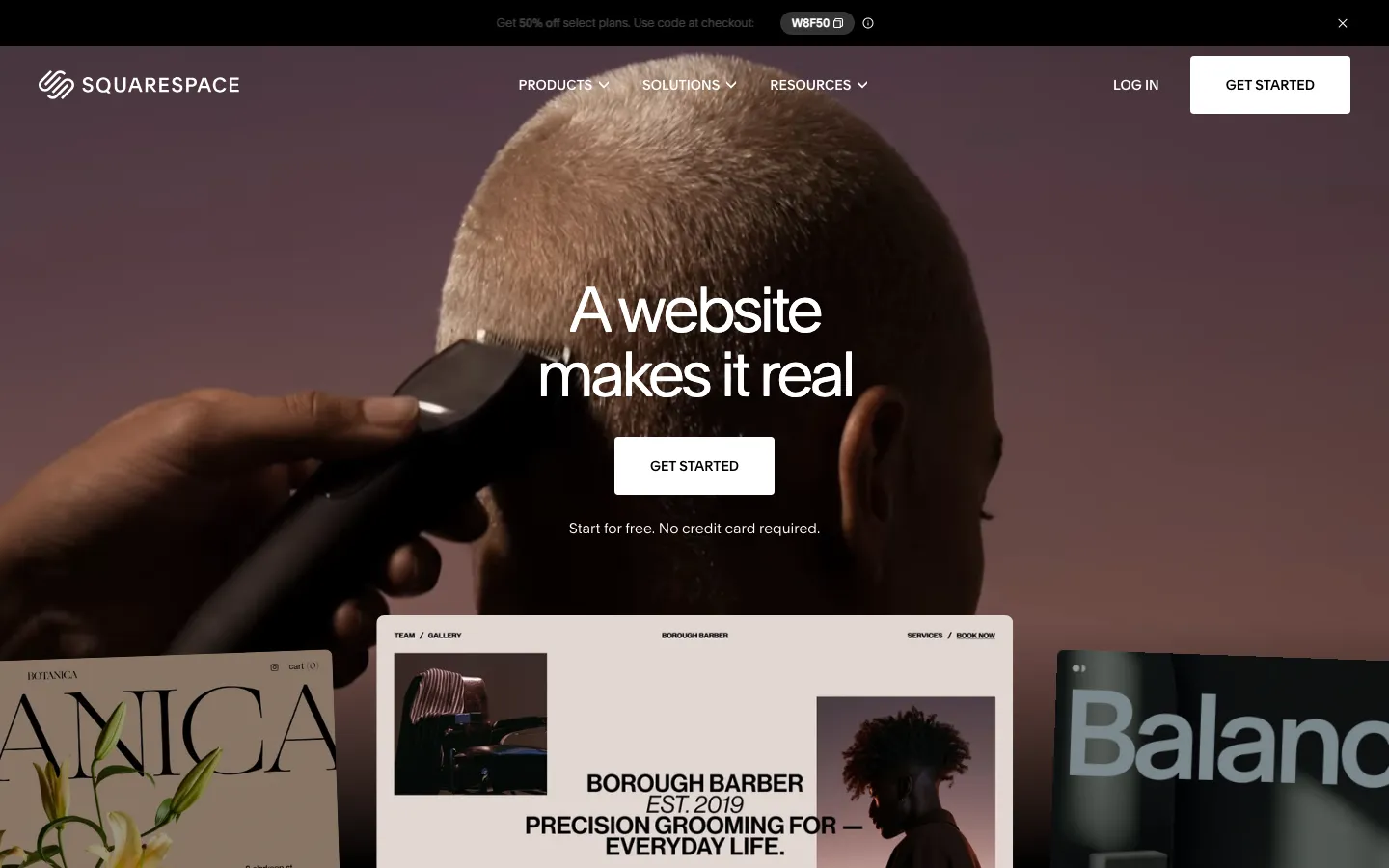
Squarespace is worth testing when a template-led site fits and the owner needs to update content without maintaining a codebase. Its content export is partial: some pages, one blog and text/images can move through WordPress XML, while styles and several other content types do not.

For Wix, test the business workflow as well as the editor: bookings, ordering or another required function may be the reason to choose it. Wix documents test sites and controlled traffic exposure. That is a publishing capability, though it is not the same as unrestricted Git branches.
WordPress.com, Hostinger and Carrd: keep the scope proportionate
WordPress.com is a candidate when the editorial workflow matters. Its current plugin documentation permits plugin installation on all paid plans. The old Business-only claim is obsolete. The September price observations were introductory, so obtain the renewal total.

Hostinger's recorded headline prices implied a long prepaid term. At $2.99 × 48, the initial commitment is $143.52 before any additions. Compare that cash commitment and renewal against the period you expect to need the site.
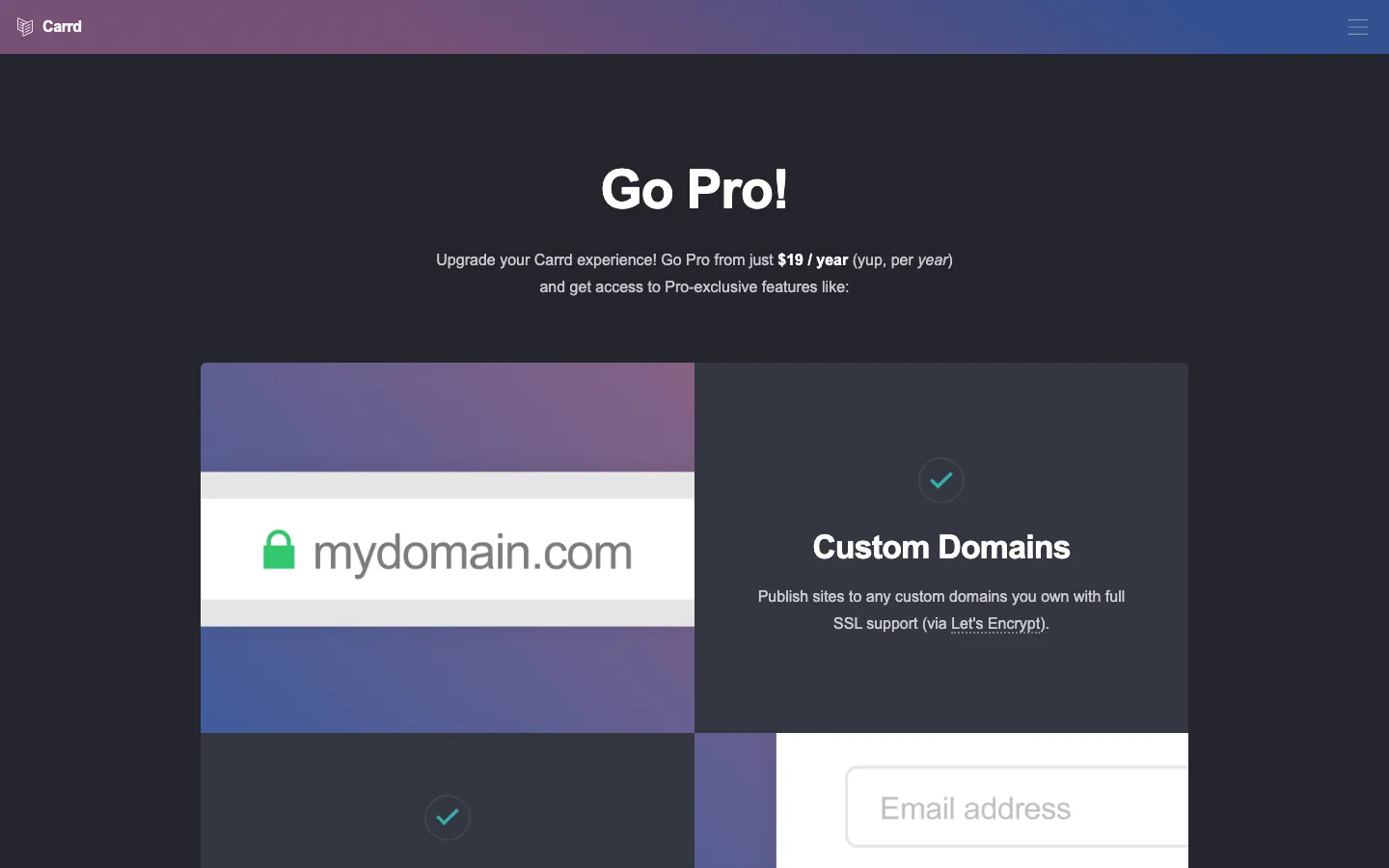
Carrd belongs on the shortlist for a one-page launch or profile. It is a different scope from a multi-page content site. A company can use a one-page site; the relevant question is whether one page covers its visitors' tasks.
Code: more control, with explicit operating costs
A Next.js or Astro project can put source, review and deployment configuration in a repository. The CMS and integrations remain choices someone must implement and maintain. Porting to another host may require changes to provider-specific services.
Vercel Hobby is for personal noncommercial use. Vercel pricing also includes paid team seats. Repository access does not mean free hosting access, unlimited traffic or automatic previews on every host.
For a transparent cost example, a $6,000 build plus twelve months of $1,500 care is $24,000 before hosting and additions. A hypothetical $30/month builder plan is $360/year before extras and the team's labor. These are different service bundles, so code must earn its cost through a requirement you value.
A managed migration option, with the conflict disclosed
SUUR publishes a migration service from $6,000 for an agreed scope of up to twenty pages, with optional care at $1,500/month and hosting charged separately. This is the publisher's offer, not independent proof that migration is the right choice.
Prepare URL mapping, redirects, metadata, internal links, forms and analytics before launch. Google's migration guidance warns that temporary ranking fluctuations can occur; no zero-loss promise belongs in the decision.
Keep Framer if the content model, editing process and bill fit. If they do not, test the failing requirement and the export path before choosing a replacement.
Sources, commercial interests and corrections
Frequently asked questions
Yes. Framer's developer documentation describes single and multiple collection-reference fields. Test the relationships, filters, limits and editor workflow your site needs rather than assuming references are absent.
Framer's official articles conflict: one says it does not offer built-in HTML export for self-hosting; another says published HTML, CSS and JavaScript can be downloaded and hosted, with CMS export through plugins. Ask Framer to clarify the supported path, then test an export with real routes, forms, assets and CMS content.
Not necessarily. Include the build, commercial hosting, usage, paid team access, CMS, integrations and maintenance. Vercel Hobby is restricted to personal noncommercial use. A small builder subscription can cost much less than a managed code-based service.
Yes, with plan-specific capabilities. Current Webflow documentation describes page branching and branch staging on Team and Enterprise Platform plans, plus an enhanced publishing workflow for Enterprise customers and partners. Check the plan and workflow you need.
No provider can guarantee that. URL mapping, redirects, metadata, internal links and monitoring reduce avoidable migration errors, but Google warns that temporary ranking fluctuations can occur.
Want to talk to SUUR directly?
We work with founders shipping product, not just decks.