AI Design Tools
Best AI Tools for UI/UX Design in 2026, Compared
Figma, Relume, Uizard, Visily, Magic Patterns, v0, Lovable, Bolt, Claude Code, and Cursor, sorted by what each one actually produces: a design file, a clickable screen, a working app, or code in your repository. Every price read live on 19 September 2026, and the two we use every day to build this site.
| Vendor | Pricing | Turnaround | Best for |
|---|---|---|---|
| Figma (Design, Make, and AI add-ons) | Starter free (150 AI credits a day, up to 500 a month); Professional full seat $16/mo billed annually with 3,000 AI credits; Organization $55 and Enterprise $90 per full seat with 3,500 and 4,250 credits | Same file your team already uses | Teams that design in Figma and want generation, Make prototypes, and AI edits inside the file they keep |
| Relume | Free; Pro $14/mo; Site Builder Starter $18/mo, Pro $40/mo, Team $36 per user (3 minimum); export to Figma, Webflow, or React | A sitemap and wireframes in an afternoon | Marketing sites that need structure first: brief, sitemap, wireframe, then design |
| Uizard (Miro Labs) | Free (3 AI generations a month); Pro $12/mo billed annually (500 generations); Business $39/mo (5,000 generations) | Minutes per screen | Non-designers who need a clickable mockup to explain an idea, and product teams sketching flows |
| Visily | Free (300 AI credits a month); $11 per editor/mo (3,000 credits); $29 per editor/mo (10,000 credits) | Minutes per screen | Wireframes and screenshot-to-design conversion for product managers and analysts |
| Magic Patterns | Free; Starter $17 per seat/mo billed annually ($20 monthly, 1,000 credits); Business $85 per seat ($100 monthly, 5,000 credits); extra credits $0.02 | Minutes per component | Product teams generating components against their own design system, with MCP and GitHub sync |
| v0 by Vercel | Free ($5 of credits, 7 messages a day); Plus $30 per user/mo shown against a struck-through $90; Business $100 per user/mo | A deployed React page in an hour | React and Next.js teams who want a working, deployable interface they can edit in code |
| Lovable | Free; Pro $25/mo (100 credits); Business $50/mo; unlimited users on paid plans | A working app in a day | Founders turning an idea into a clickable, hosted product without a front-end developer |
| Bolt | Free (1M tokens a month); $25/mo (from 10M tokens); $30 per member for teams | A working app in a day | Full-stack prototypes in the browser, priced by tokens rather than seats |
| Claude Code (Claude Pro and Max) | Pro $17/mo billed annually ($200 up front) or $20 monthly; Max from $100/mo; Claude Code included in paid plans | Hours per screen, in your own repository | Interface work inside an existing codebase with its own design system, reviewed like any other code |
| Cursor | Hobby free; Individual $20/mo; Teams $40 per user/mo; Enterprise custom | Hours per screen, in your own repository | Developers who want an agent inside an editor for front-end changes |
| SUURThat’s us | AI Workshop: half-day $5,000, two-day $9,000; Design Sprint $6,000 flat; AI Feature Sprint from $24,000 | A half-day workshop; five days for a sprint | Design and product teams that want these tools set up on their own product and design system, not a demo file |
- Pricing
- Starter free (150 AI credits a day, up to 500 a month); Professional full seat $16/mo billed annually with 3,000 AI credits; Organization $55 and Enterprise $90 per full seat with 3,500 and 4,250 credits
- Turnaround
- Same file your team already uses
- Best for
- Teams that design in Figma and want generation, Make prototypes, and AI edits inside the file they keep
- Pricing
- Free; Pro $14/mo; Site Builder Starter $18/mo, Pro $40/mo, Team $36 per user (3 minimum); export to Figma, Webflow, or React
- Turnaround
- A sitemap and wireframes in an afternoon
- Best for
- Marketing sites that need structure first: brief, sitemap, wireframe, then design
- Pricing
- Free (3 AI generations a month); Pro $12/mo billed annually (500 generations); Business $39/mo (5,000 generations)
- Turnaround
- Minutes per screen
- Best for
- Non-designers who need a clickable mockup to explain an idea, and product teams sketching flows
- Pricing
- Free (300 AI credits a month); $11 per editor/mo (3,000 credits); $29 per editor/mo (10,000 credits)
- Turnaround
- Minutes per screen
- Best for
- Wireframes and screenshot-to-design conversion for product managers and analysts
- Pricing
- Free; Starter $17 per seat/mo billed annually ($20 monthly, 1,000 credits); Business $85 per seat ($100 monthly, 5,000 credits); extra credits $0.02
- Turnaround
- Minutes per component
- Best for
- Product teams generating components against their own design system, with MCP and GitHub sync
- Pricing
- Free ($5 of credits, 7 messages a day); Plus $30 per user/mo shown against a struck-through $90; Business $100 per user/mo
- Turnaround
- A deployed React page in an hour
- Best for
- React and Next.js teams who want a working, deployable interface they can edit in code
- Pricing
- Free; Pro $25/mo (100 credits); Business $50/mo; unlimited users on paid plans
- Turnaround
- A working app in a day
- Best for
- Founders turning an idea into a clickable, hosted product without a front-end developer
- Pricing
- Free (1M tokens a month); $25/mo (from 10M tokens); $30 per member for teams
- Turnaround
- A working app in a day
- Best for
- Full-stack prototypes in the browser, priced by tokens rather than seats
- Pricing
- Pro $17/mo billed annually ($200 up front) or $20 monthly; Max from $100/mo; Claude Code included in paid plans
- Turnaround
- Hours per screen, in your own repository
- Best for
- Interface work inside an existing codebase with its own design system, reviewed like any other code
- Pricing
- Hobby free; Individual $20/mo; Teams $40 per user/mo; Enterprise custom
- Turnaround
- Hours per screen, in your own repository
- Best for
- Developers who want an agent inside an editor for front-end changes
- Pricing
- AI Workshop: half-day $5,000, two-day $9,000; Design Sprint $6,000 flat; AI Feature Sprint from $24,000
- Turnaround
- A half-day workshop; five days for a sprint
- Best for
- Design and product teams that want these tools set up on their own product and design system, not a demo file
"AI tools for UI/UX design" now covers four different purchases, and most lists mix them together: a design tool with AI inside it, a generator that makes a clickable screen from a prompt, a builder that makes a working app, and a coding agent that changes the interface in the codebase you already have. They cost differently, they produce different things, and choosing the wrong kind is how a team ends up with a beautiful prototype that nobody can ship.
This page sorts them by what you are holding at the end, with every price read from the vendor's own page on 19 September 2026. Two of them we use every day to build the site you are reading. The rest we compare on what their pages say, and we say which is which.
Four kinds of AI design tool
| What you get at the end | Tools | Price range, 19 September 2026 |
|---|---|---|
| A design file your team keeps | Figma, Relume | Free to $90 per seat |
| A clickable screen from a prompt | Uizard, Visily, Magic Patterns | Free to $85 per seat |
| A working, hosted app | v0, Lovable, Bolt | Free to $100 per user |
| Changes in your own codebase | Claude Code, Cursor | Free to $100 and up |
AI inside the design tool
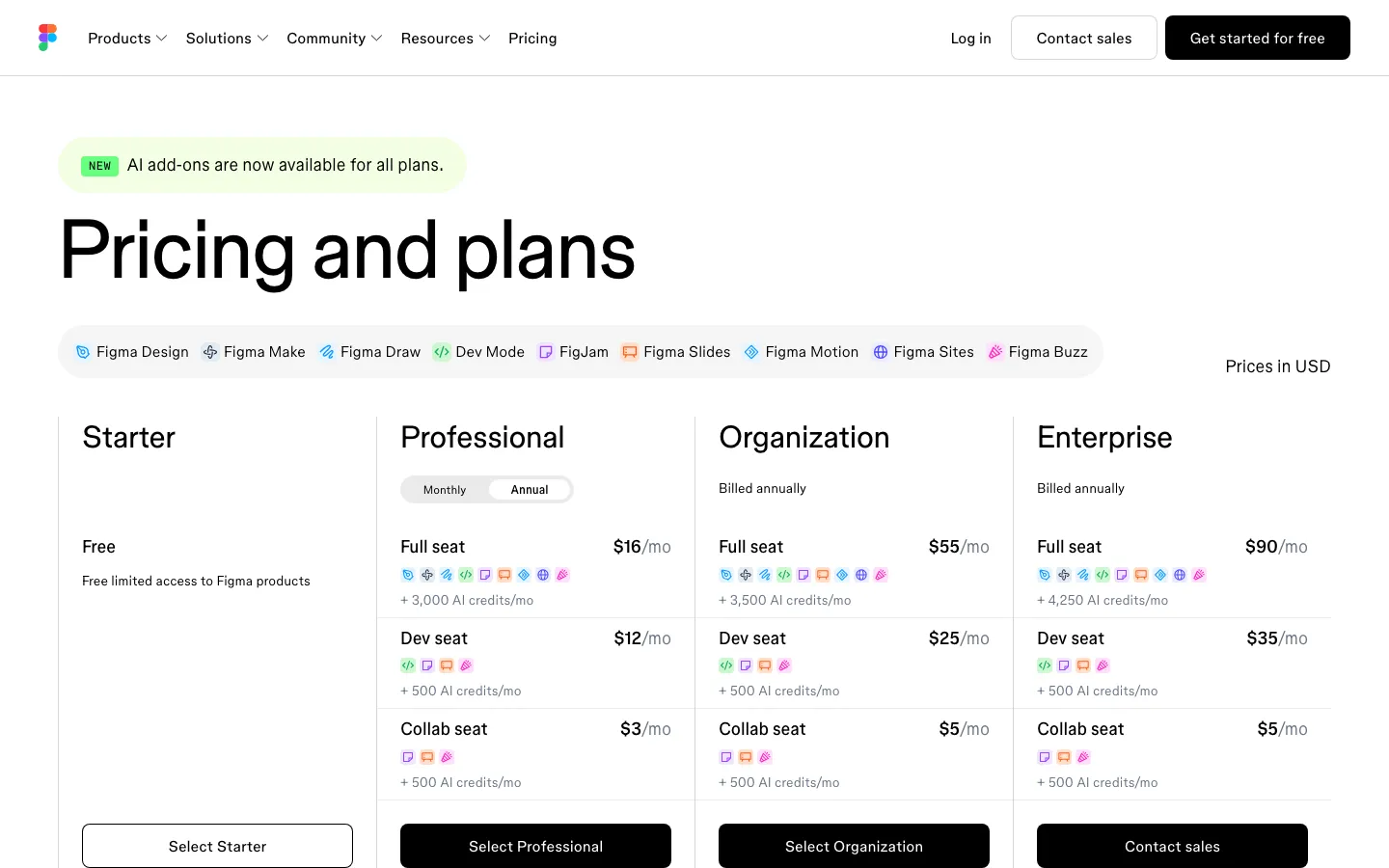
Figma is where most interface design still lives, and on 19 September 2026 its pricing page opened with "AI add-ons are now available for all plans." The free Starter plan carries 150 AI credits a day up to 500 a month; a Professional full seat was $16 a month billed annually with 3,000 AI credits, Organization $55 with 3,500, and Enterprise $90 with 4,250, with cheaper Dev and Collab seats alongside. Figma Make turns a prompt into an interactive prototype inside the file. The advantage is not the AI, which is comparable to the tools below; it is that the output lands in the same file and component library the team already maintains.
Relume starts one step earlier, with structure: a brief becomes a sitemap, the sitemap becomes wireframes, and the wireframes export to Figma, Webflow, or React. It was free, $14 a month on Pro, and $18 to $40 a month on its Site Builder plans, with teams at $36 per user and a three-seat minimum. For a marketing site, getting the structure right before anyone draws is the most valuable hour of the project, and Relume is built for exactly that hour.
Prompt to a clickable screen
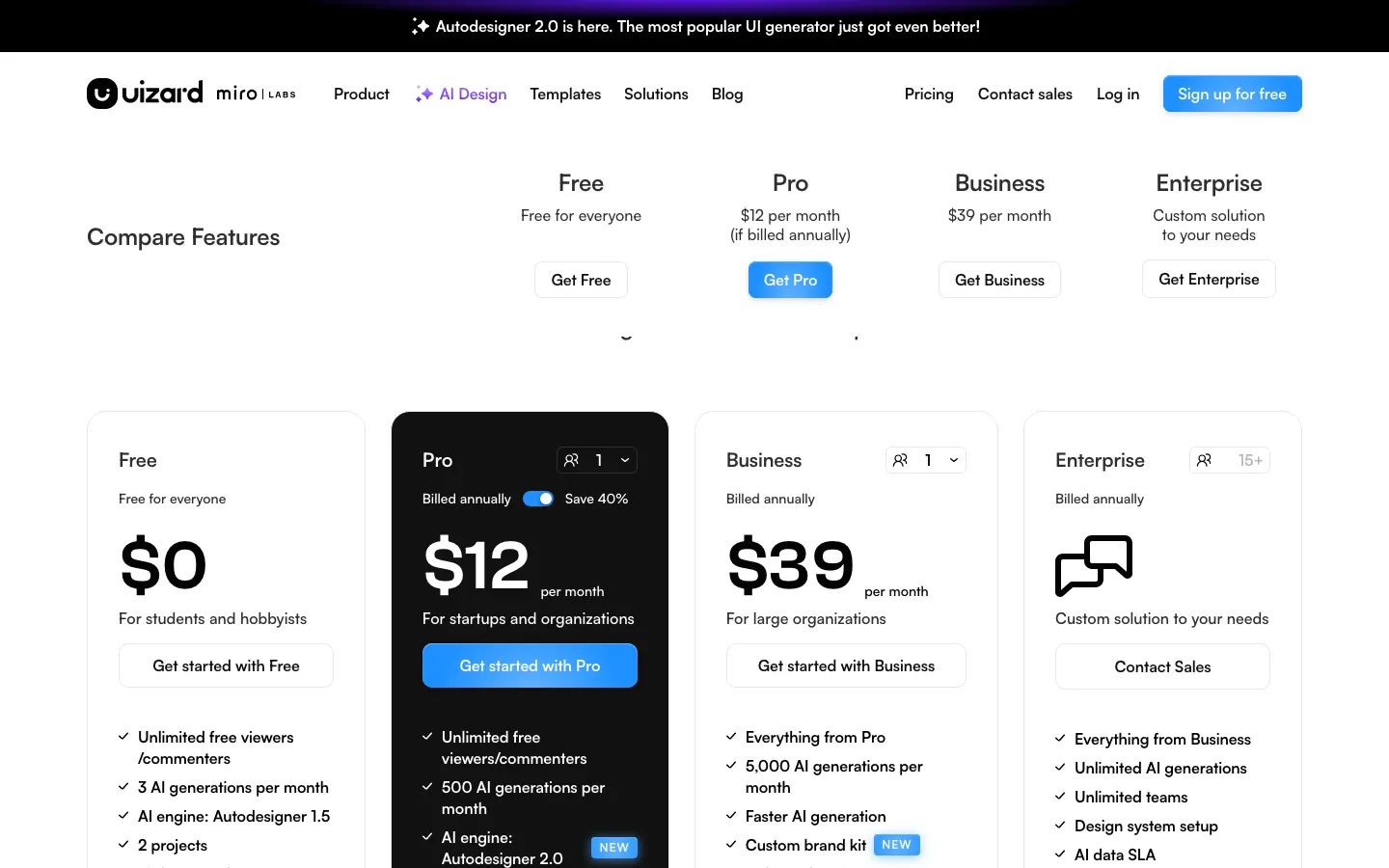
Uizard is the easiest of the three for someone who does not design, and its header now reads as part of Miro Labs. It was free with three AI generations a month, Pro at $12 a month billed annually with 500 generations, and Business at $39 with 5,000, with an Autodesigner 2.0 announced across the top of the page. Visily is aimed at product managers and analysts: free with 300 AI credits, then $11 or $29 per editor a month, and particularly good at turning a screenshot of an existing product into an editable design.
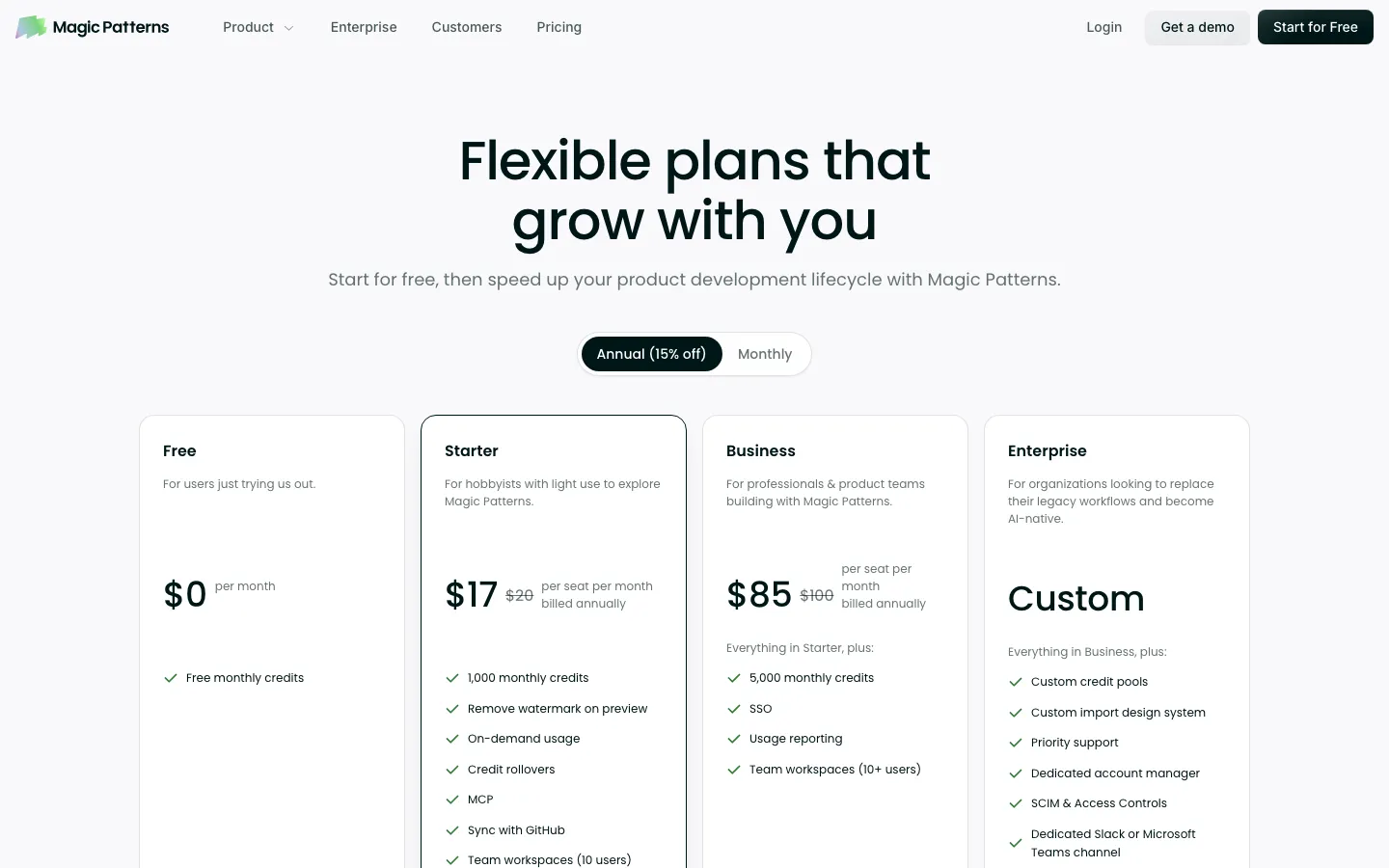
Magic Patterns is the one of the three built for teams that already have a design system: it generates components against your own, syncs with GitHub, and ships an MCP server. It was $17 per seat a month billed annually on Starter and $85 on Business, $20 and $100 monthly, with extra credits at $0.02 each.
All three are genuinely fast. What they produce is a picture of a product: its own buttons, its own spacing, its own components. That is exactly right for explaining an idea and exactly wrong for shipping one.
Prompt to a working app
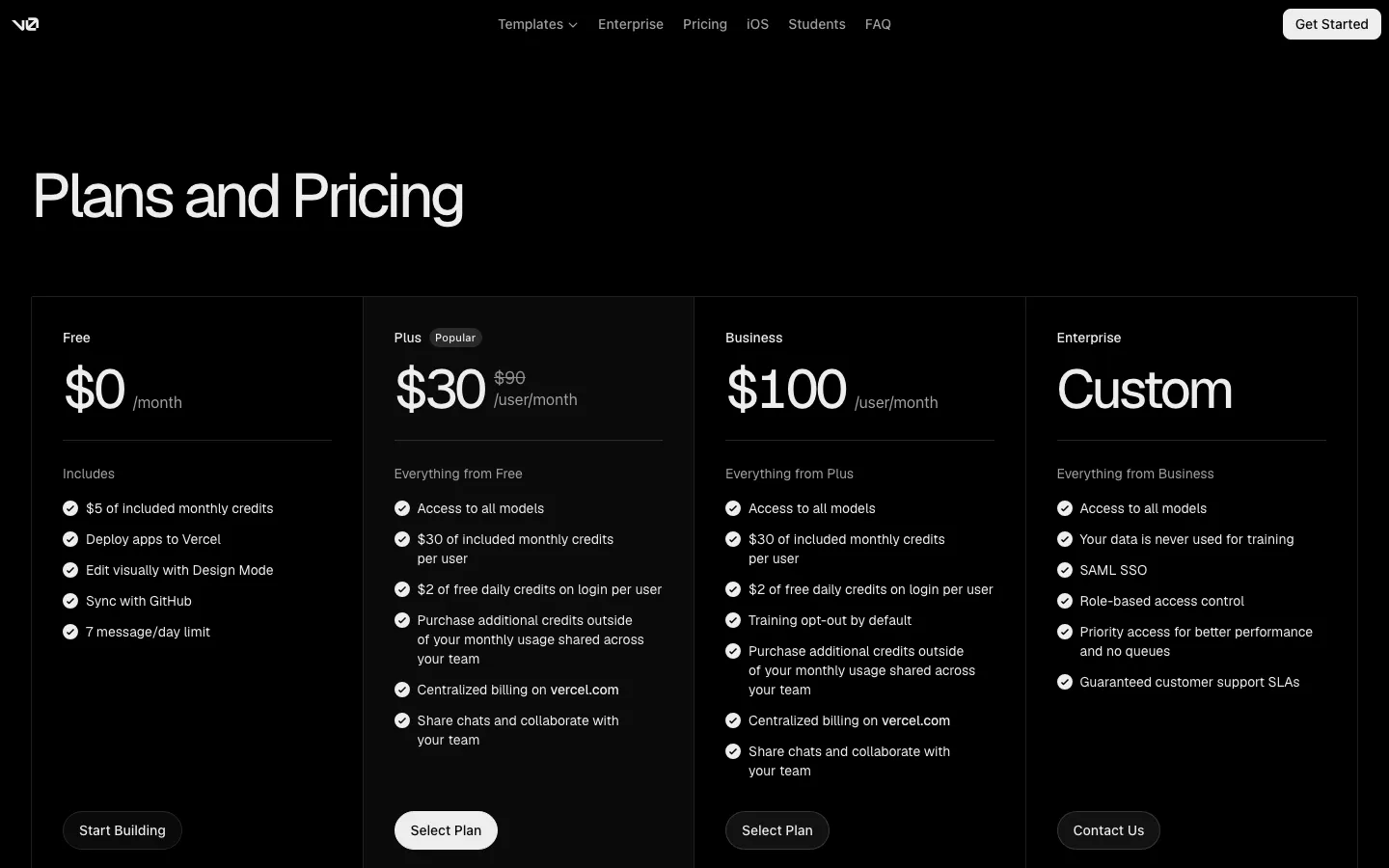
v0 by Vercel produces React and Next.js that follows production conventions closely enough to keep: free with $5 of credits and seven messages a day, Plus at $30 per user a month shown against a struck-through $90 on 19 September 2026, Business at $100. It deploys to Vercel and syncs with GitHub, and its Design Mode lets you edit visually on top of the code.
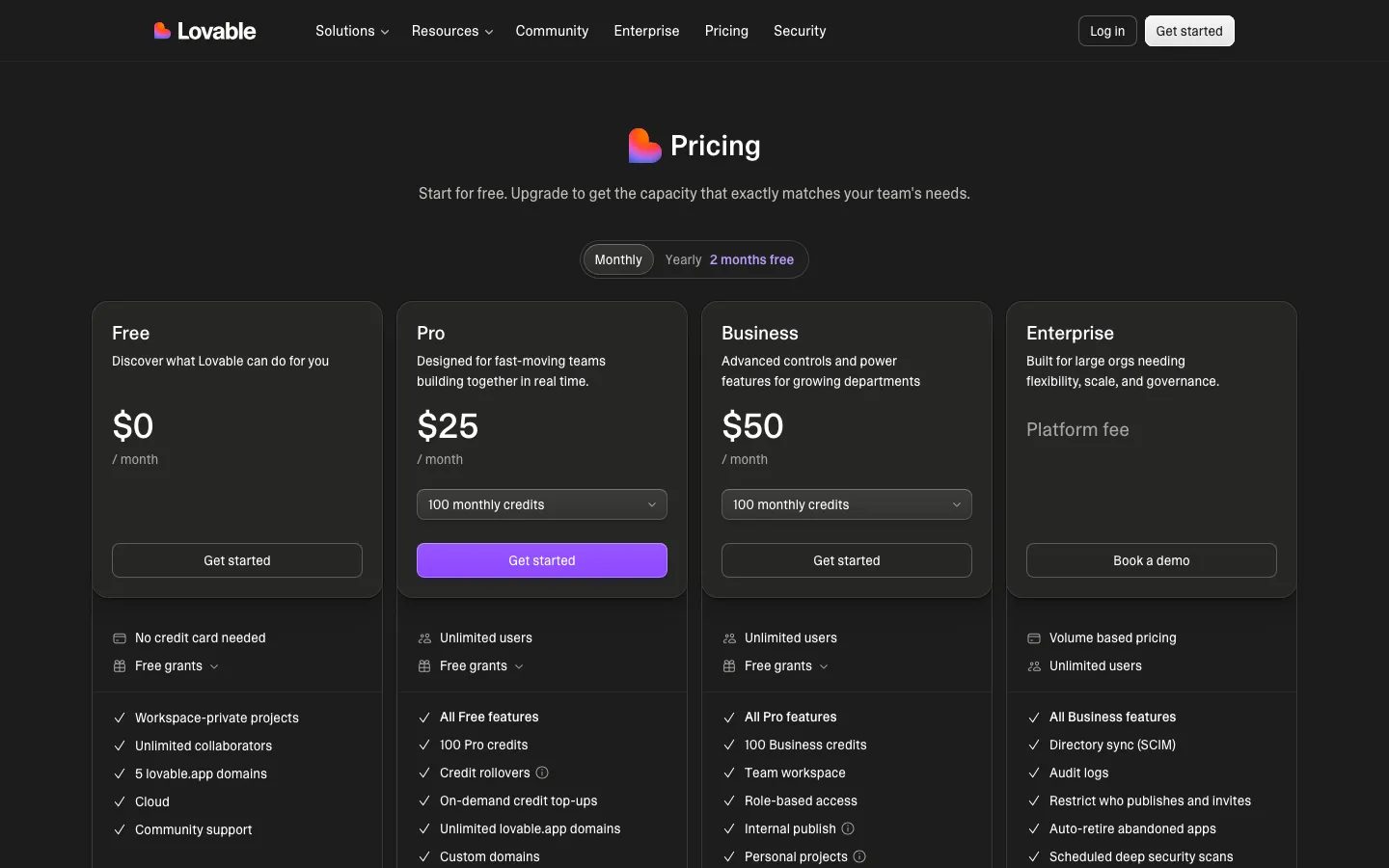
Lovable and Bolt are the fastest route from an idea to a hosted app a founder can click: Lovable free, $25, or $50 a month with unlimited users on paid plans; Bolt free with a million tokens a month, then $25 a month from ten million tokens, or $30 per member for teams. Both generate the backend as well as the interface. Both are superb for a first version that needs to exist by Friday, and both leave a codebase that someone will have to own afterwards.
An agent in the codebase you already have
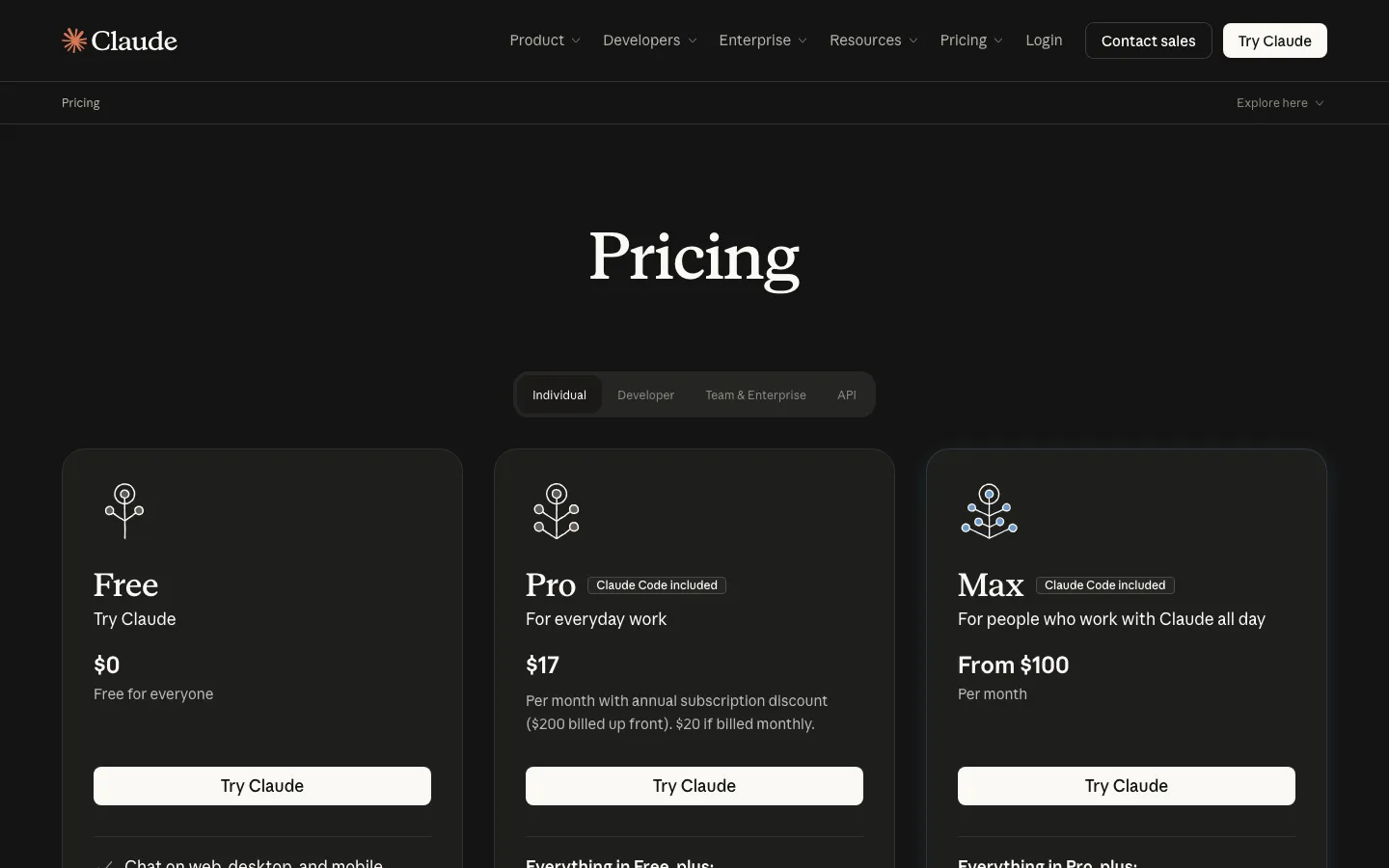
This is the category we can speak to from daily use. Claude Code, included on Claude Pro at $17 a month billed annually or $20 monthly and on Max from $100 on 19 September 2026, is how this site is built and maintained. Cursor, free on Hobby, $20 a month for individuals, and $40 per user for teams, puts the same kind of agent inside an editor. We have not run a production project on Cursor, so we describe it rather than rate it.
What a coding agent gives a design team that the tools above do not is that the result lands in the real system. On this site, the offer template behind eighteen commercial pages was rebuilt in a single day in September 2026 with Claude Code working against the site's tokens, its components, and a rules file called DESIGN.md that says which font carries the accent and that nothing but the primary button may be lime. Every diagram on this blog since late August, including the ones on what a design system is and the six-week migration timeline, was drawn as SVG by Codex from a written specification. Neither tool designed anything. Both executed decisions that had already been written down, faster than we could have, and that is the honest summary of where AI sits in UI work in 2026.
The catch is the same catch in reverse. A coding agent with no design system to read produces a hundred slightly different buttons, confidently. The agent is only as good as the rules it is given.
SUUR: these tools, on your product
This is us, so weigh it accordingly. The AI Workshop puts these tools to work on your own product and design system rather than a demo file, half-day for $5,000 with up to twelve people or two days for $9,000 with up to twenty, remote or on site; the most useful thing most teams leave with is a written set of rules an agent can follow. The Design Sprint is $6,000 flat for a product's screens in about five business days, designed with these tools and delivered in your system. And the AI Feature Sprint, from $24,000, designs and ships one AI feature end to end in two to three weeks.
Best for: teams that have tried the tools, got impressive demos, and want the output to land in their real product.
Which one you need
- Your team designs in Figma and wants speed there: Figma's AI add-ons, and Relume for structure before anyone draws.
- You need to explain an idea to someone this afternoon: Uizard, Visily, or Magic Patterns.
- You need a first version people can use by Friday: Lovable or Bolt, and plan who owns the code after.
- You are a React team and want generated UI you can keep: v0.
- You have a product and a codebase and want interface work done in them: a coding agent, and write your design system down first.
- Whatever you pick: the tools draw faster than ever. Deciding what to draw is still the job, and it is the part of graphic design and product work that did not get cheaper.
Frequently asked questions
It depends on what you want to be holding at the end. A design file your team keeps: Figma, with AI add-ons on every plan, or Relume for sitemaps and wireframes first. A clickable screen from a prompt: Uizard, Visily, or Magic Patterns. A working, hosted app from a prompt: v0, Lovable, or Bolt. Interface changes in a codebase you already have: a coding agent such as Claude Code or Cursor. Most teams end up using one from the first group and one from the last, and none of them replaces the decision about what the screen should do.
Read on 19 September 2026. Figma Professional full seat $16 a month billed annually with 3,000 AI credits, Organization $55, Enterprise $90. Relume from $14 a month, Site Builder $18 to $40. Uizard $12 or $39 a month billed annually. Visily $11 or $29 per editor. Magic Patterns $17 or $85 per seat billed annually. v0 Plus $30 per user a month shown against a struck-through $90, Business $100. Lovable $25 or $50 a month. Bolt $25 a month or $30 per member. Claude Pro $17 a month billed annually or $20 monthly, Max from $100. Cursor $20 a month, Teams $40 per user. Almost all of them now price AI by credits or tokens on top of the seat, so heavy use costs more than the headline.
It replaces the drawing faster than it replaces the deciding. Every tool on this page can produce a plausible screen from a sentence; none of them knows which screen your users need, what the empty state should say, or which of three flows loses the fewest people. What changed is the ratio: a designer who can generate ten directions in the time it used to take to draw one spends more of the day on judgment. The teams getting the most from these tools are the ones who already had strong opinions about what good looks like, written down in a design system an agent can read.
v0, Lovable, and Bolt generate working React applications you can deploy; v0 is the closest to production front-end conventions, Lovable and Bolt the fastest to a hosted app. Magic Patterns and Relume export components to React. Claude Code and Cursor work directly in your repository and write code against your existing components. Figma Make produces interactive prototypes inside Figma. The difference that matters is whether the output lands in your codebase and design system or in the tool's own, because only the first one survives past the prototype.
Claude Code for building and maintaining this site, and Codex for drawing its diagrams from a written specification, every day. The offer template behind eighteen commercial pages was rebuilt in a single day in September 2026 with Claude Code working against the site's design system and its rules file, DESIGN.md, and every diagram on this blog since late August was generated as SVG by Codex from a spec. We have not run production projects on the other tools on this page, so we compare them on what each vendor publishes rather than claim a test we did not run.
For exploration, yes, and they have compressed the first days of any project. For the final product, only when the output lands in the real system: the client's design system, their codebase, their components. A generated screen that uses its own buttons and spacing is a picture of the idea, not the product. The work that has to stay human is the brief, the edge cases, the copy, and the judgment about what not to build.
Put the tools on your own product rather than a demo, and give them your design system to read. The fastest improvement most teams get is not a better tool but a written set of rules, tokens, components, and do-nots, that an agent can follow; it is the difference between a hundred slightly different buttons and one. Our AI Workshop does that in a half day for $5,000 or two days for $9,000, on your product, and the AI Feature Sprint, from $24,000, designs and ships one AI feature end to end.
Want to talk to SUUR directly?
We work with founders shipping product, not just decks.