iOS · 2026 · design + build
One set
at a time.
The fitness coach that splits your workout across the whole day.
Product strategy, UX/UI design, and full SwiftUI development, built from zero by SUUR.
Every fitness app assumes you have an hour. One More Set assumes you have ninety seconds , and asks for them all day long.
7
Bodyweight exercises coached
6
Targets: app, widget, 3 extensions
245
Unit tests, all passing
0
Third-party dependencies
The idea
The workout that hides in your day.
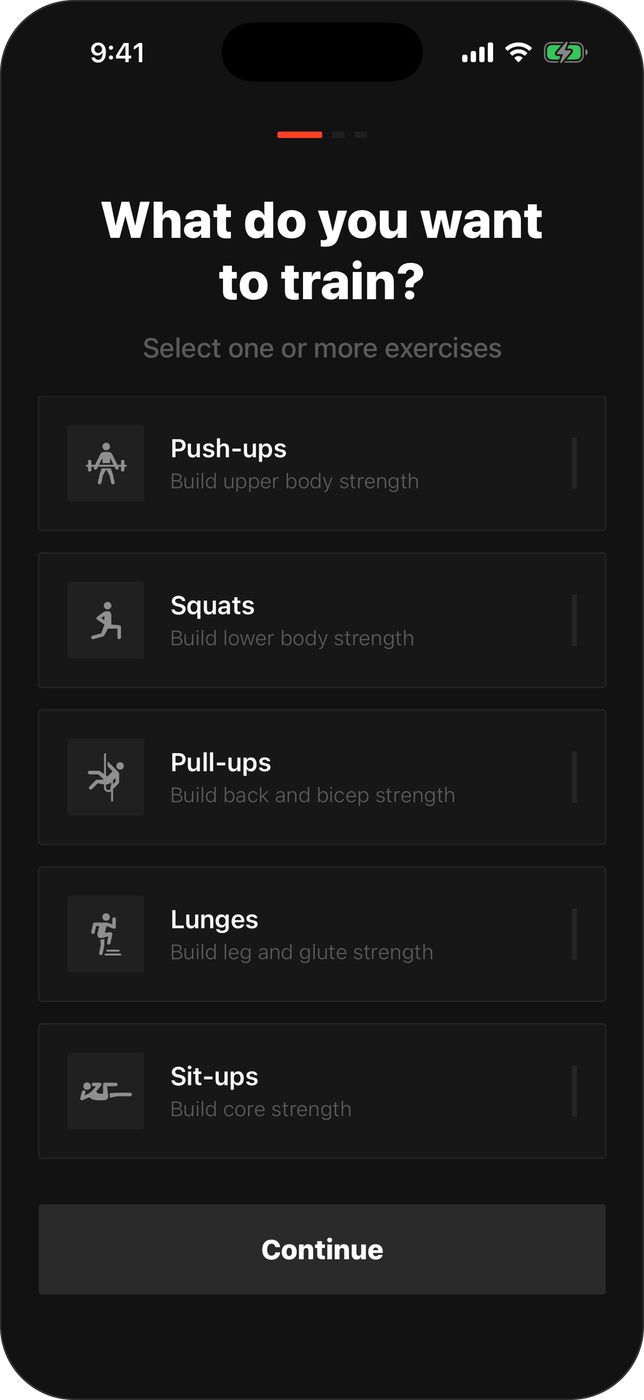
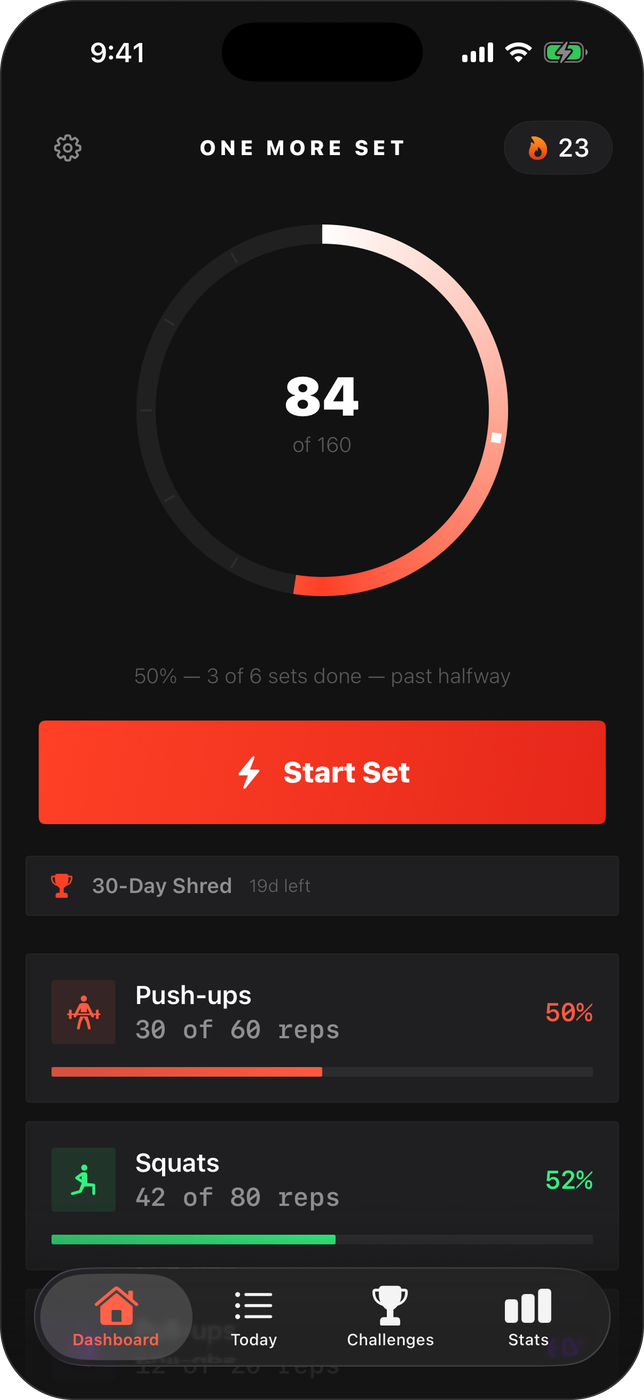
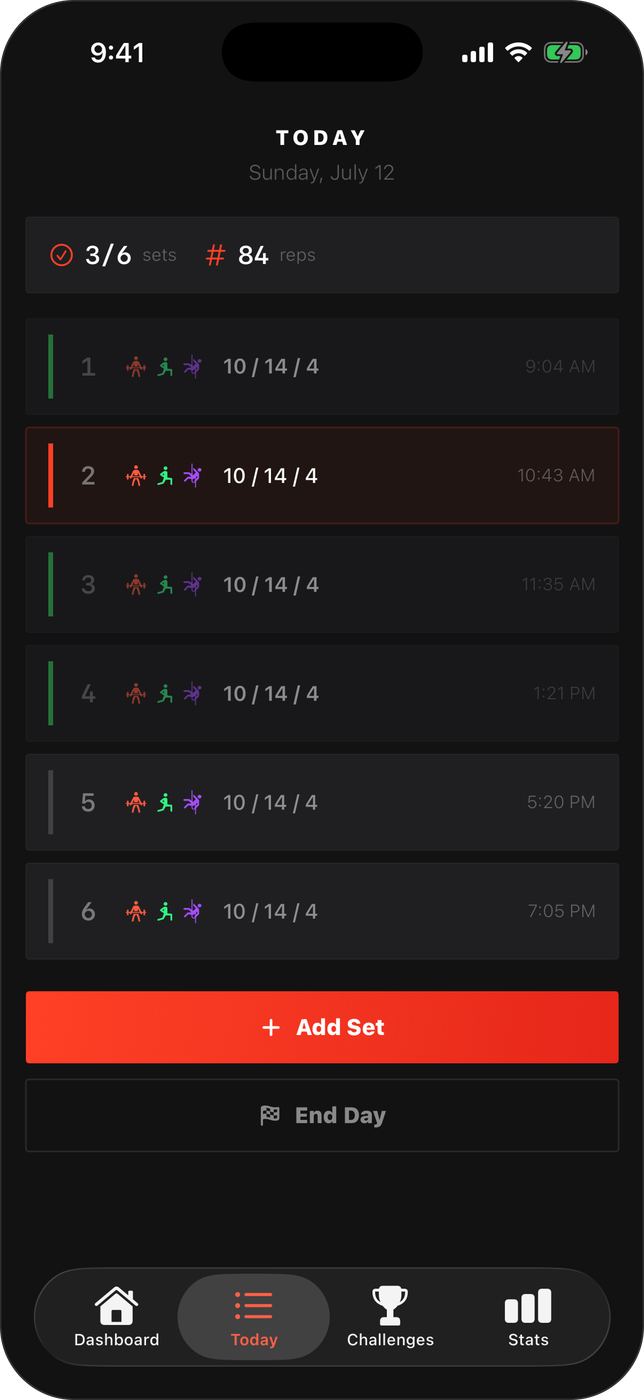
Set a daily rep target: say 60 push-ups, 80 squats, 20 pull-ups, and the app splits it into small checkpoints spread across your schedule. Each one is a single set, a nudge at the right moment, and no single moment ever feels like working out.
Miss one and the reps redistribute across what's left of the day. By evening the ring is closed, without ever finding an hour.
The experience
Small sets. Serious system.
01
A set shorter than a coffee break
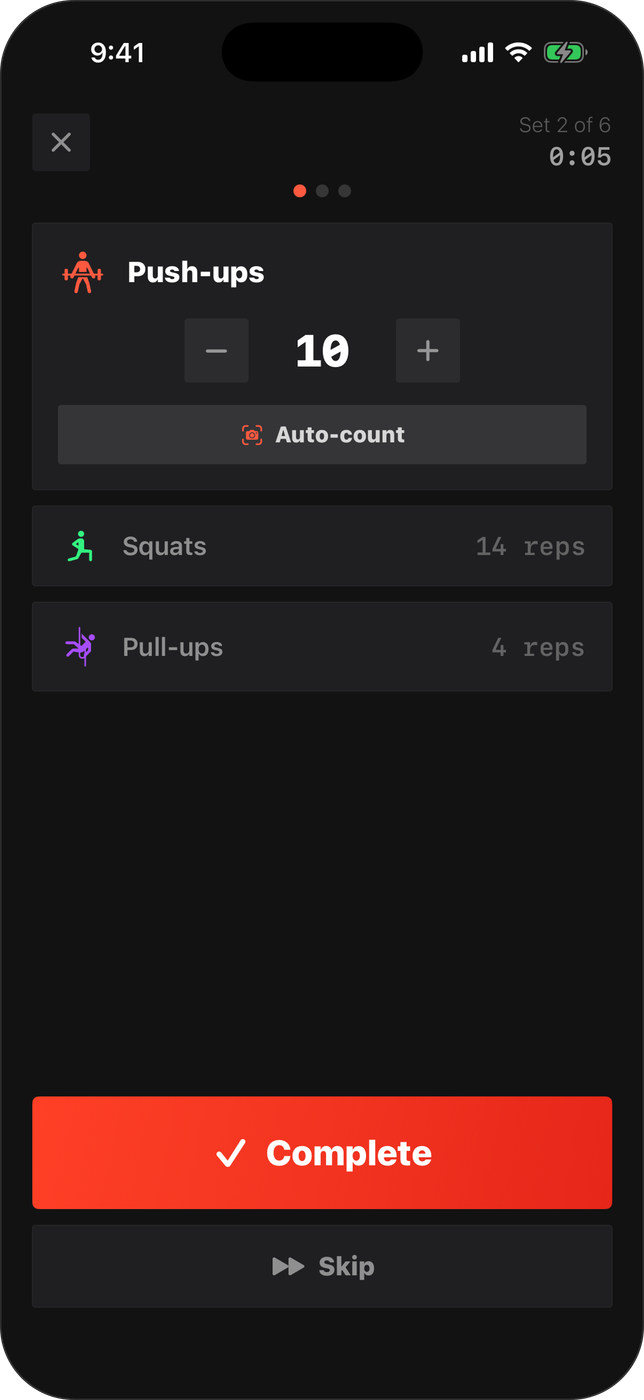
Tap Start Set and the timer runs. Count reps with a tap, or let the app count for you: the front camera reads 17 body joints through Apple's Vision framework, and the accelerometer counts from your pocket at 50Hz. Ninety seconds later you're back at your desk.
02
Proof you showed up
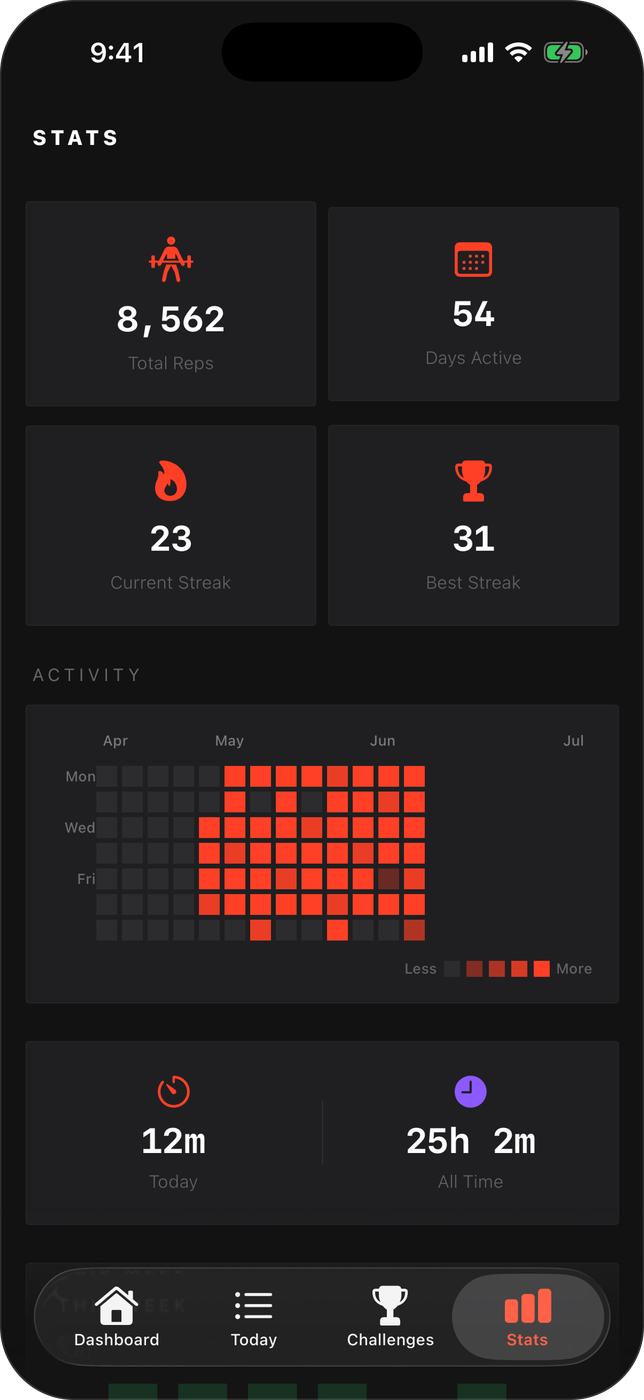
A contribution-style heatmap of every active day, current and best streaks with rest-day forgiveness, total reps, and time invested: the quiet accounting that turns six tiny sets into a habit you can see.
03
Programs, not just plans
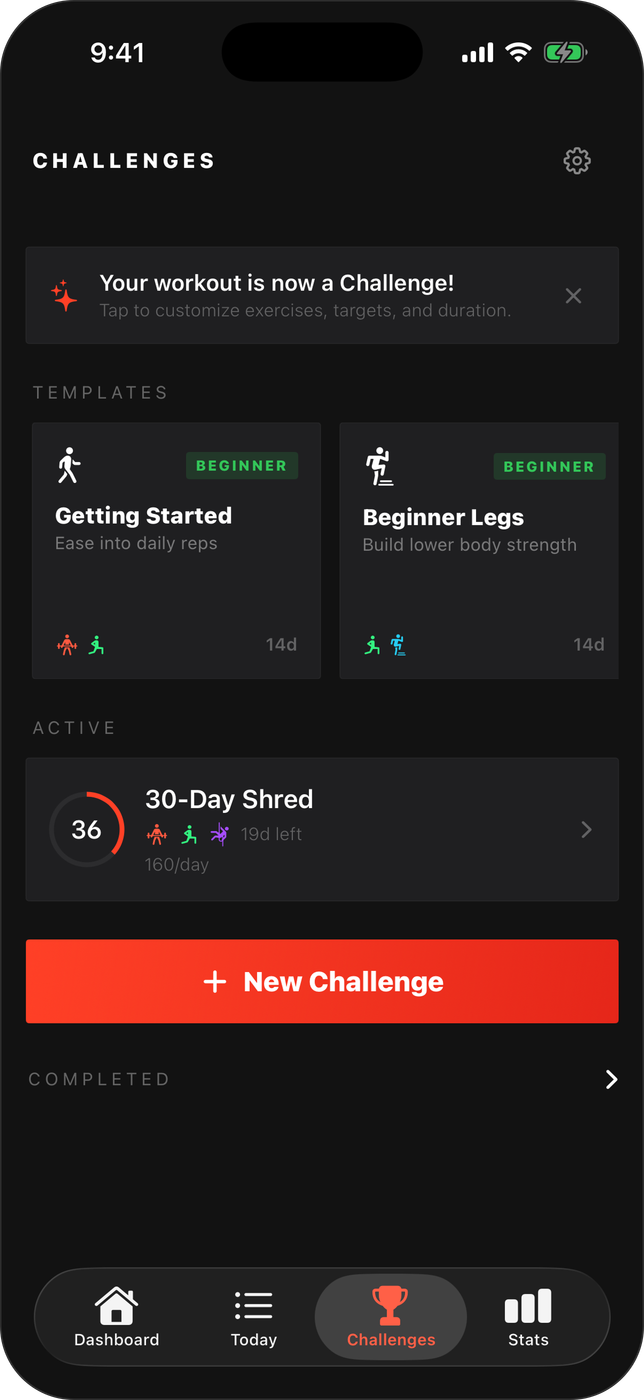
Multi-day Challenges generate each day's plan automatically, from a beginner two-week ease-in to a 30-day shred with progressive overload that nudges targets upward as you get stronger.
04
It can even lock your apps
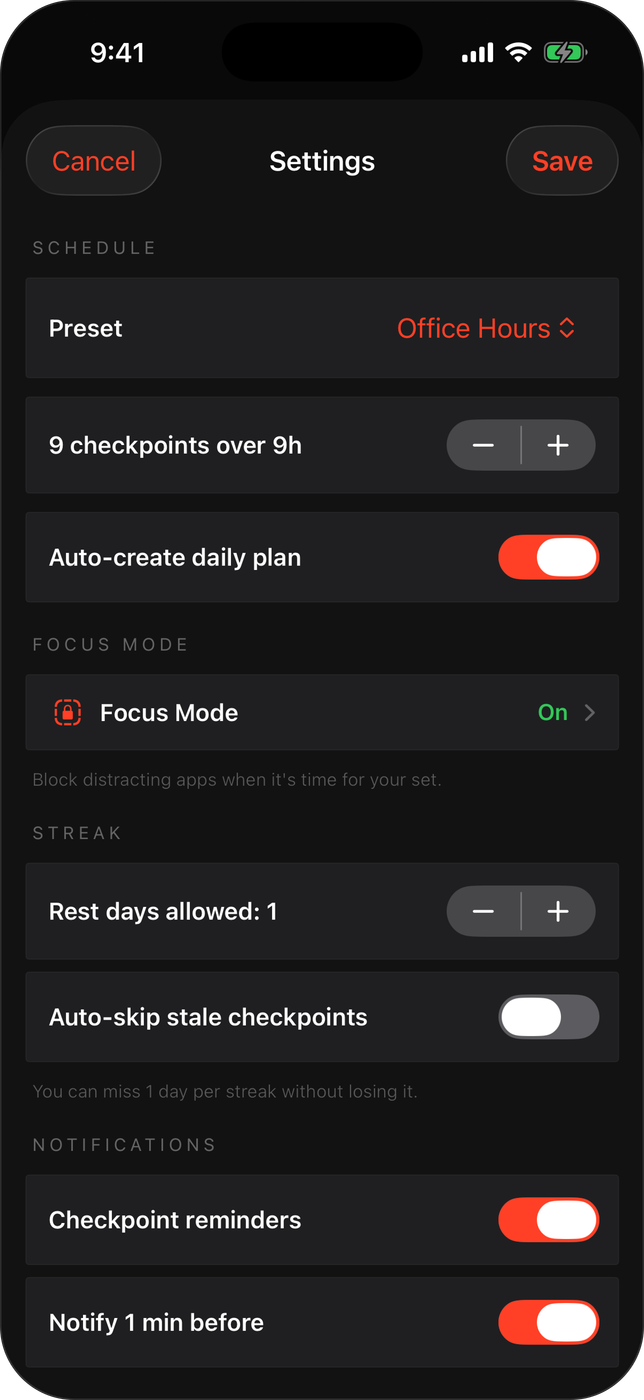
Focus Mode uses Apple's Screen Time API to shield distracting apps when a set is due. The doomscroll doesn't open until the reps are done. Schedule presets (office hours, early bird, night owl) fit the checkpoints around real life.
Beyond the app icon
It lives where your eyes already are.
Home and Lock Screen widgets with one-tap completion, a Dynamic Island Live Activity while a set runs, Siri shortcuts through App Intents, and finished days exported to Strava. The app does its job even when it's never opened.
Built with intention
100% native SwiftUI. Swift 6 strict concurrency. Zero dependencies.
The result
Zero to a shippable product, in-house.
Product strategy, UX/UI design, and the entire native build, app, widgets, Live Activities, and three Screen Time extensions, handled end to end by SUUR. A genuinely new mechanic in a crowded category: not a better workout screen, but a workout that stops needing one.
“The best workout plan is the one that doesn't need your calendar's permission.”
Have an app idea that needs a real mechanic?
SUUR designs and ships native mobile products end to end, strategy, UX/UI, and the code.